Zalith Launcher APK Download Latest v1.4.1.4 for Android
Zalith Launcher lets you play Minecraft Java Edition on Android with support for mods shaders multiple versions and performance settings. Find downloads guides and helpful tips to get started.
Blazing Fast.
Optimized for speed and smooth performance.
Fully Customized
Personalize themes, controls, layouts & settings.
Secure & Reliable
Built with stability, security and crash-free experience.
Smart & Productive
Powerful tools that enhance your experience.
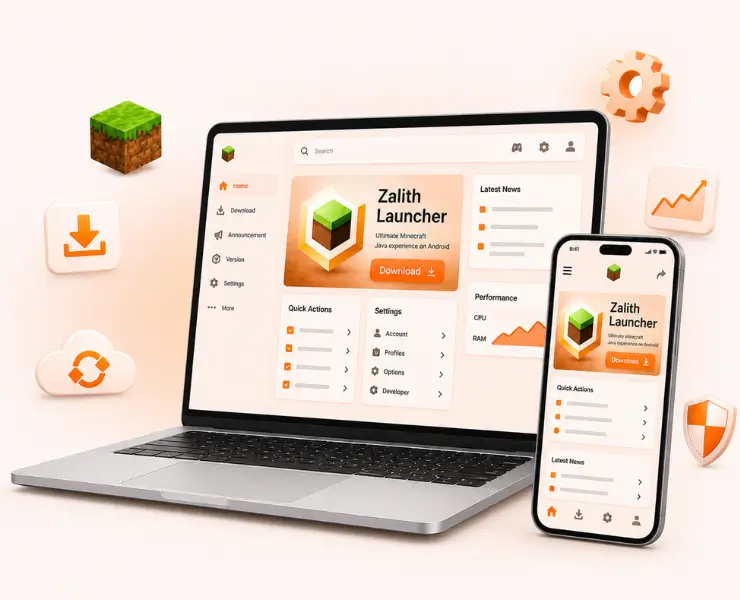
Download Zalith launcher
Lightweight version for older Android devices with stable performance.
Zalith launcher IPA File
Lightweight version for older Android devices with stable performance.
Zalith Launcher GitHub
Lightweight version for older Android devices with stable performance.
What Is Zalith Launcher?
Zalith Launcher is an open-source Android application that lets you run Minecraft: Java Edition directly on your phone or tablet, without needing a PC. It was built as an enhanced fork of PojavLauncher, developed by MovTery and the Zalith Team, with a clear goal: make Java Edition genuinely usable on mobile.
Zalith Launcher APK files are different versions of the same app but each one is built for a different type of Android processor (CPU architecture). Phones use different chip types, so developers provide separate APKs for better performance and smaller size.
| Property | Details |
|---|---|
| Application Name | Zalith Launcher |
| Version | 1.4.1.4 (Final Release) |
| File Size | 50–100 MB (varies by architecture) |
| Developer | MovTery & Zalith Team |
| Android Required | 8.0 or higher |
| Last Updated | December 18, 2025 (Archived) |
| Category | Minecraft Java Edition Launcher |
| License | Free (GPL-3.0 Open Source) |
Arm64-v8a APK
For 64-bit ARM devices
➡️ Best for modern phones
Armeabi-v7a APK
For 32-bit ARM devices
➡️ Older devices only
x86 APK
For Intel x86 devices
➡️ Use in emulators
x86_64 APK
For 64-bit Intel devices
➡️ For PC emulators
Choosing the right Zalith Launcher APK file for your device is important if you want smooth performance and a hassle free gaming experience. Different Android phones and tablets have different processors memory and Android versions. Because of this one APK version may work better on one device while another version is more suitable for a different model.
Zalith Launcher Features Explained
Zalith Launcher has earned its reputation through features that solve real problems, not just flashy extras. It offers a clean interface, reliable performance and tools built for actual daily use, from a built-in file manager to easy version switching without losing your worlds.
Built-in File Manager
Easily manage mods resource packs worlds and game files directly.
Flexible Version Management
Easily switch minecraft v with compatibility and control.
Custom Game Directory
Choose your own storage location for Minecraft files and data.
Multiple Renderer Support
Choose between engines like MobileGlues and Zink, or VirGL
In-App Content Downloads
Download game assets mods and required files directly inside launcher.
Light & Dark Themes
Switch between light and dark modes for a personalized experience.
Full Multiplayer Support
Join online servers and play multiplayer with friends without limitations.
Refactored Interface
Optimized touch controls provide smooth movement combat and easy navigation.
Download Zalith Launcher and Unlock the Ultimate Minecraft Java Edition
Downloading Zalith Launcher is simple and only takes a few minutes. First visit the official download page and get the latest APK version. Once the file is downloaded enable Unknown Sources from your Android security settings. Open the downloaded APK file and tap Install. After installation launch Zalith Launcher and complete the initial setup. You can then download your preferred Minecraft version install mods and start playing Minecraft Java Edition directly on your Android device with smooth performance and full customization options.
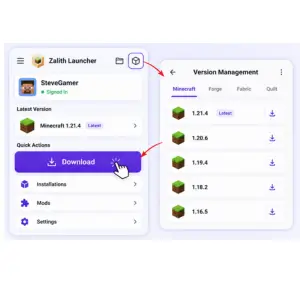
Step 1
After opening the launcher, you can reach the downloads page in two ways — either through the “Version Management” section, or directly from the main screen’s “Download” option. Both paths lead to the same downloads page, from where you can begin installing Minecraft.
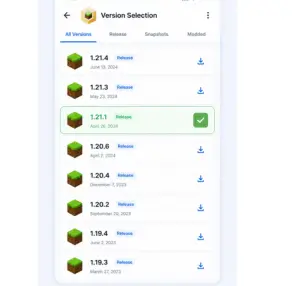
Step 2
Once you open the downloads page, the launcher automatically shows the game version selection screen. Here you’ll find a list of different Minecraft versions. You can choose whichever version you want to play, then proceed to the next step in the installation process.
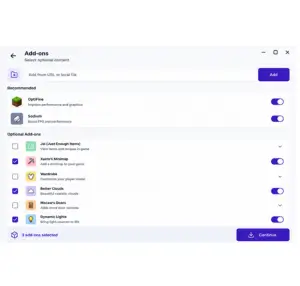
Step 3
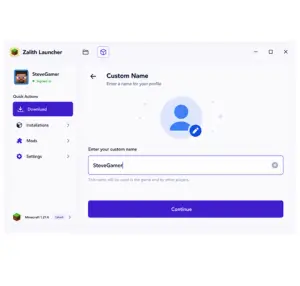
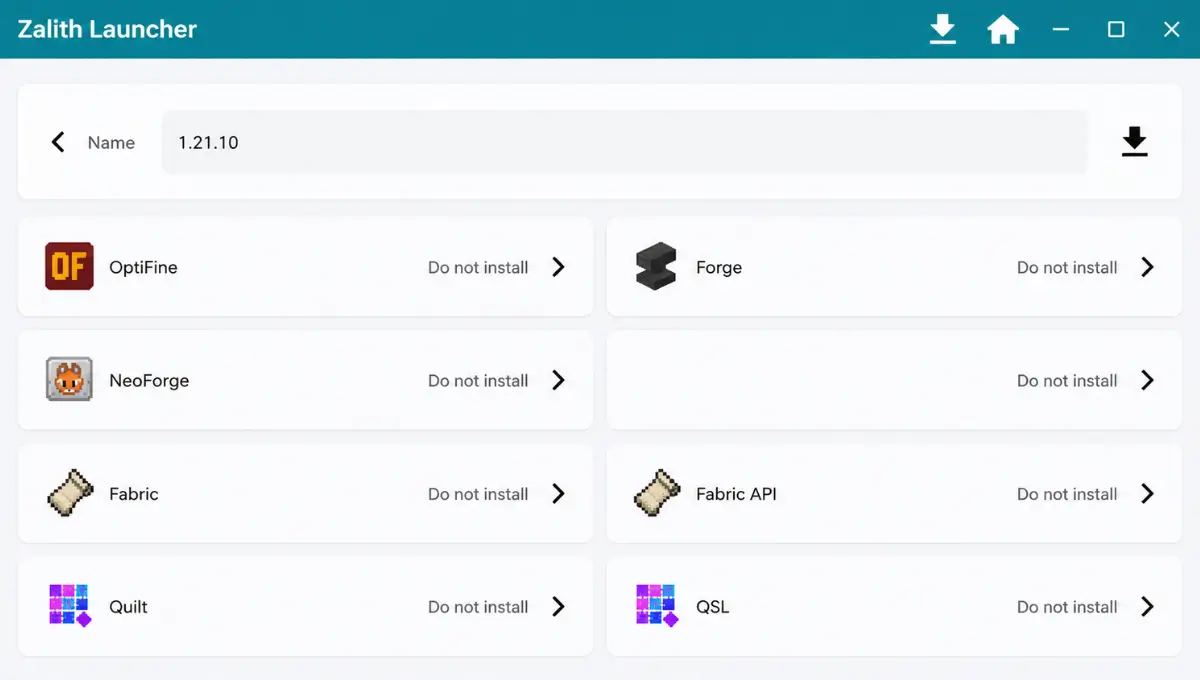
After selecting a version, you’ll be taken to the add-ons selection page, where you can optionally add extra content. At the top of this page, there’s a name input box where you can set a custom name for the version being installed.
Step 4
The launcher creates a separate folder for each new version to store its core files. Because of this, the version name must not match any existing version. Giving it a unique name helps you easily identify and distinguish between multiple installed versions later on.
Step 5
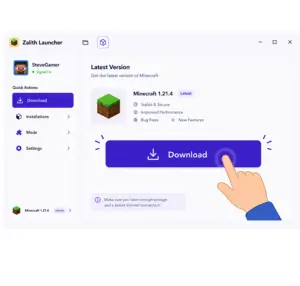
Once everything is set up, tap the “Download” button at the top of the screen. This starts the installation process. Right after this step, the launcher will request the necessary permissions to ensure the installation runs smoothly without interruptions.
Step 6
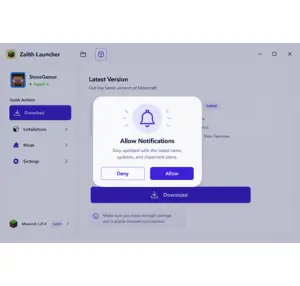
The launcher displays a notification permission dialog. This permission is required for installation because the launcher uses a foreground service to keep the install process running reliably — especially useful later when installing mod loaders, as it significantly improves installation success rates.
Step 7
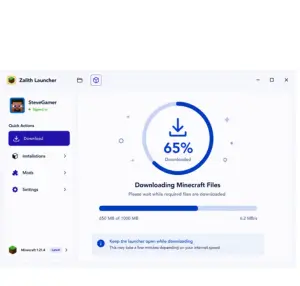
Whether you grant or ignore the permission, the launcher then starts the actual game download. A download dialog appears showing installation progress, letting you track how far along the process is. A stable internet connection is important during this stage.
Step 8
Once the download and installation are finished, you can go to the “Version Management” page to confirm the new version has been added successfully. From there, you can launch that version and start playing Minecraft without needing any further setup.
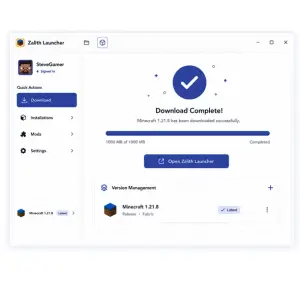
Zalith Launcher GitHub Resources and Installation
Keeping your Zalith Launcher up to date is the best way to enjoy new features better performance and important bug fixes. Many users prefer downloading the latest build from the official GitHub releases because it provides access to the newest stable and testing versions as soon as they are available. Downloading from GitHub gives you:
Avoid third-party APK mirror sites where possible. Many host outdated or modified builds and some have been flagged for bundling unwanted extras.
Step Download Zalith Launcher from GitHub (Safely)
Downloading Zalith Launcher from GitHub is one of the safest ways to get the official APK and the latest updates. The GitHub release page is managed by the developers which makes it a trusted source for new versions bug fixes and performance improvements. Using the official download helps you avoid modified files that may cause installation problems or security risks.
Open the GitHub Repository
Open your browser and visit the official Zalith Launcher GitHub repository.
Navigate to Releases
Click the Releases section to see all available versions.
Choose the Latest Version
Select the newest release marked with the green Latest badge.
Select the Correct APK
Under Assets, download the APK that matches your device architecture.
Download the APK
Wait until the APK file finishes downloading completely.
Open the Downloaded File
Go to your Downloads folder and tap the APK to begin installation.
Allow Unknown Sources
If prompted, enable installation from unknown sources because the app isn’t available on Google Play.
Launch the App
Open Zalith Launcher after installation and sign in with your Microsoft account.
Is Zalith Launcher Safe to Use? A Real Talk on Security & Legality
Yes, Zalith Launcher is safe, provided you download it from the official GitHub page. Because it is open-source, the entire codebase is public, so nothing is hidden from scrutiny. A few honest points worth knowing:
Zalith Launcher Plugins Details and Installation Procdure
Zalith Launcher plugins allow you to add extra features and improve the overall gaming experience without changing the core launcher. These plugins can enhance performance add useful tools and provide additional customization options depending on the version you are using. Understanding how plugins work helps you get the most out of Zalith Launcher.
Renderer Plugins
Improve graphics performance and shader compatibility.
API & Library Plugins
Provide shared code that other mods depend on
Compatibility Helpers
Reduce conflicts when running multiple mods together
Mod Loader Plugins
Prepare Minecraft to accept and run modsPrepare Minecraft to accept ….
How to Add Plugins in Minecraft Using Zalith
If you want to improve your Minecraft experience on Android, adding plugins through Zalith Launcher is a great way to unlock new features and customize your gameplay. Plugins can introduce exciting mechanics, improve server management and make multiplayer sessions more enjoyable. Although the setup may seem difficult at first, the process is straightforward once you understand the basics.
- Install a mod loader first, such as Forge, Fabric, or Quilt, depending on what your plugin requires.
- Download the plugin file that matches your exact Minecraft version.
- Open the launcher’s built-in file manager.
- Move the plugin file into the correct mods folder.
- Restart the launcher and load into the game to confirm everything works.
Keep your mod loader version and Minecraft version aligned, since mismatches are the single most common cause of plugins failing silently.
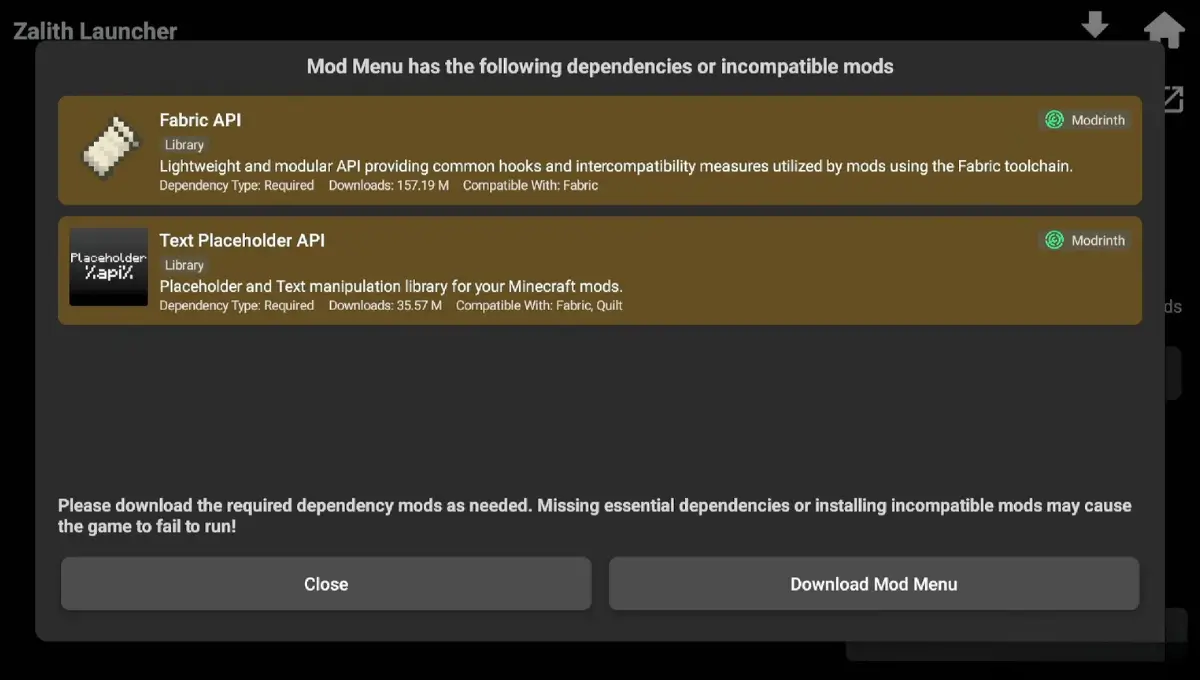
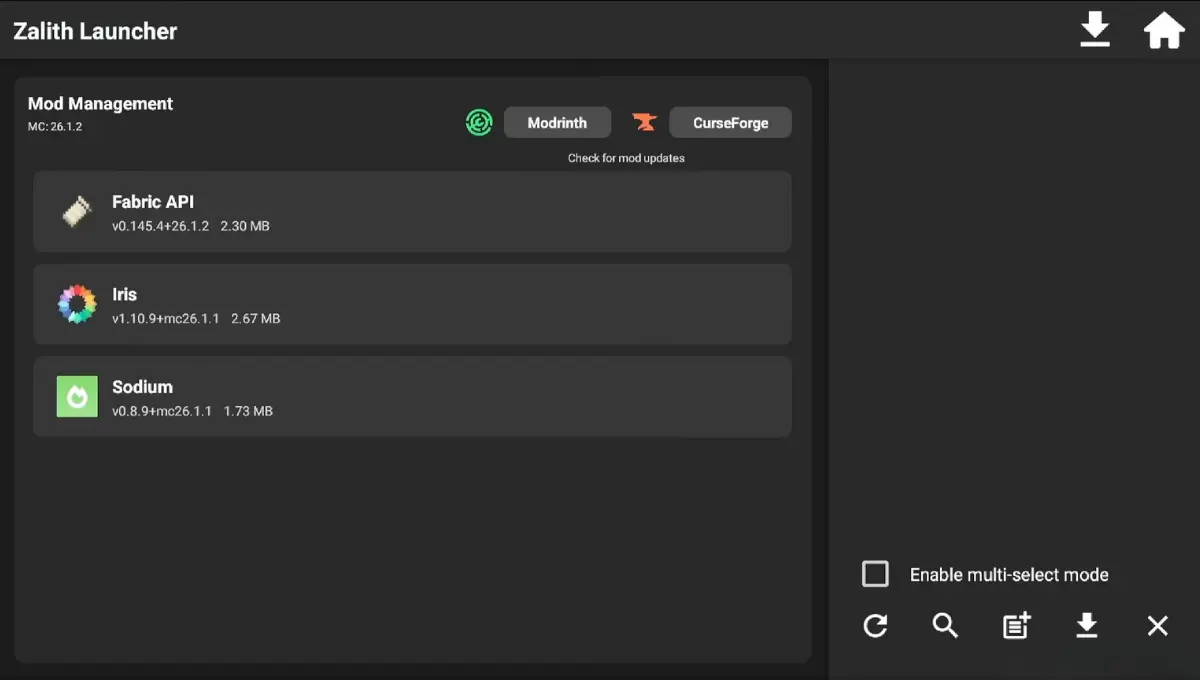
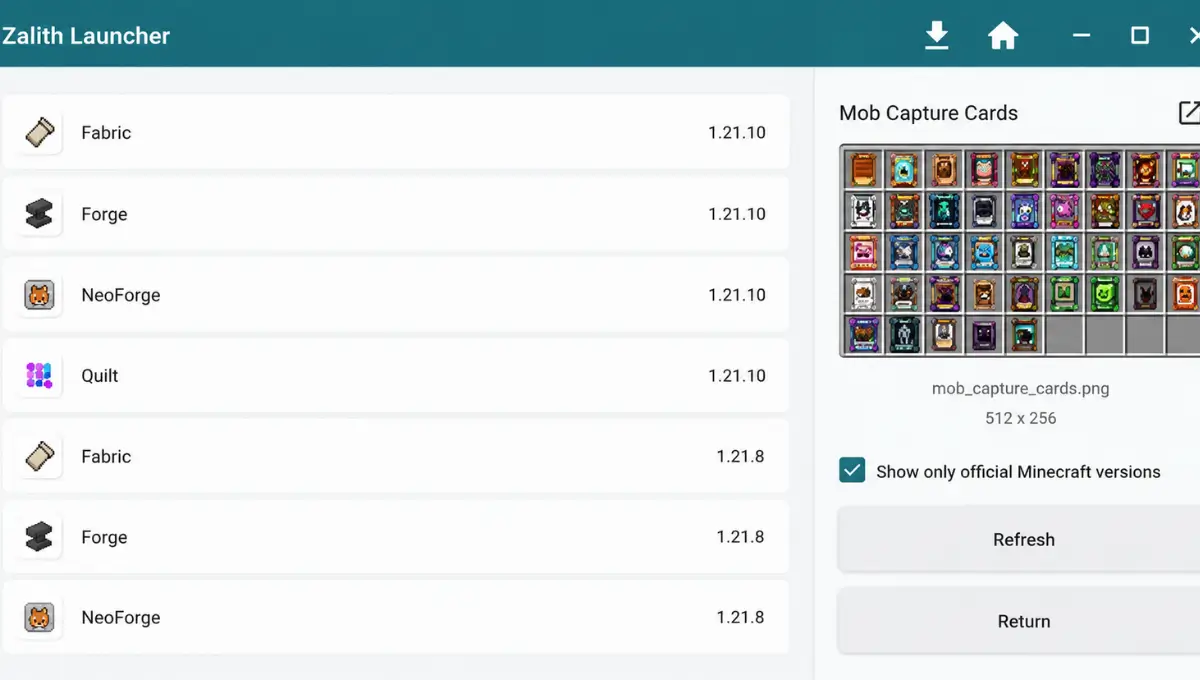
Zalith launcher Add Plugins ScreenShort
shows the complete plugin installation interface on Android. It helps users understand how to browse install and manage plugins with a clean layout making the setup process fast simple and beginner friendly.
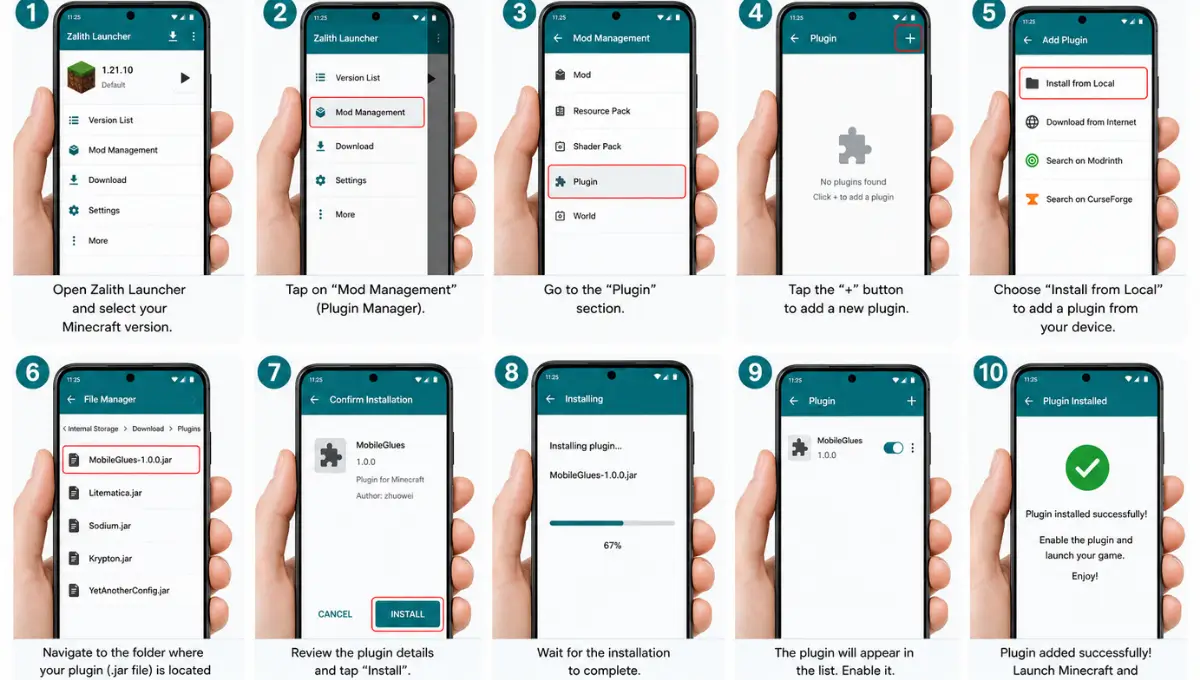
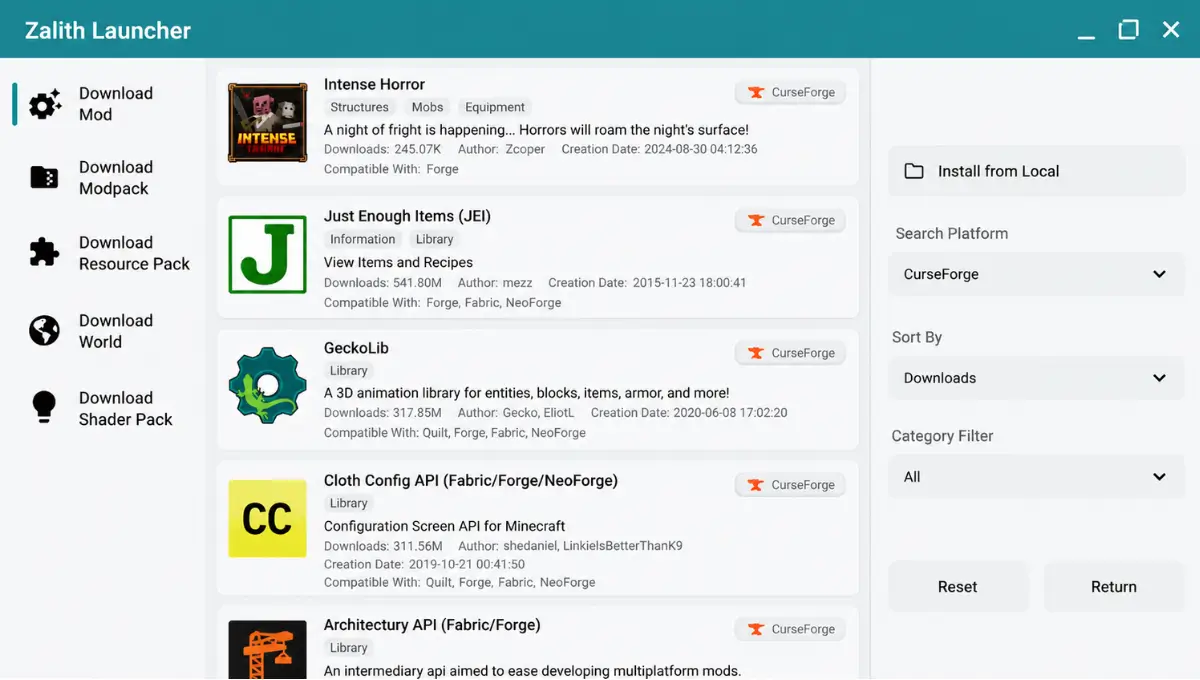
How to Install Mods on Zalith Launcher
Zalith Launcher is one of the best options for players who want a PC-like Minecraft experience on mobile and adding mods takes that experience to the next level. Whether you’re looking to install Fabric, Forge, or Optifine as your mod loader, or simply want to add texture packs and shaders, this guide covers everything you need to know.
- Choose a mod loader compatible with the mod you want (Forge, Fabric, or Quilt).
- Download the mod file from a trusted source, such as CurseForge or Modrinth.
- Open Zalith Launcher’s file explorer and navigate to the mods folder.
- Place the mod file inside.
- Launch the game and check that it loads without errors.
Add mods one at a time whenever possible. It makes troubleshooting far easier if something goes wrong, since you will know exactly which mod caused it.
Zalith Launcher File Size & System Requirements
Before downloading, it helps to know what your device needs to handle. Here is a quick reference table covering the app’s file size, RAM, storage and Android version requirements.
| Requirement | Minimum | Recommended |
|---|---|---|
| Android Version | 8.0 (Oreo) | 10.0 or higher |
| RAM | 3 GB | 4 GB or more |
| Free Storage | 500 MB (before game files) | 2 GB+ (with mods, shaders, worlds) |
| APK File Size | Approximately 50 MB | Up to 120 MB, depending on architecture and version |
| Processor | ARMv7 (32-bit) supported | ARM64-v8a (64-bit) strongly recommended |
The APK file size typically falls between 50 MB and 120 MB, depending on which architecture build you download and how many bundled components (like renderer libraries) are included. Devices with more RAM and a 64-bit processor will always get the smoothest experience, especially once mods and shaders are added on top.
Zalith Launcher Shaders & Better Graphics on Android
Shaders can completely change how Minecraft looks on mobile, adding realistic lighting, dynamic shadows and improved water effects. Zalith Launcher supports shader packs directly through its content manager.
To get the best results without tanking performance:
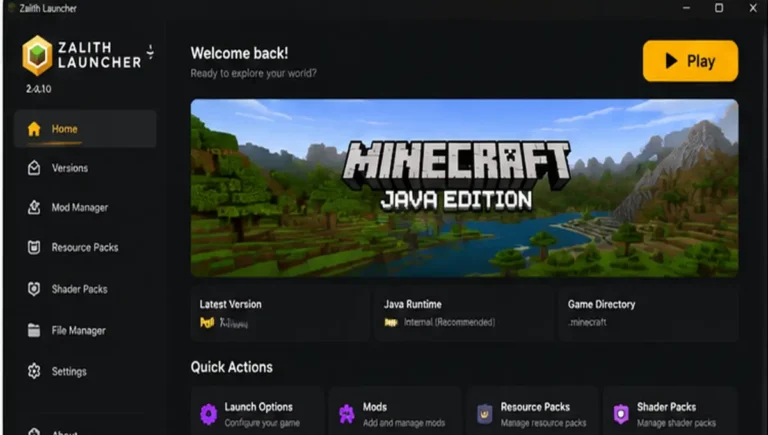
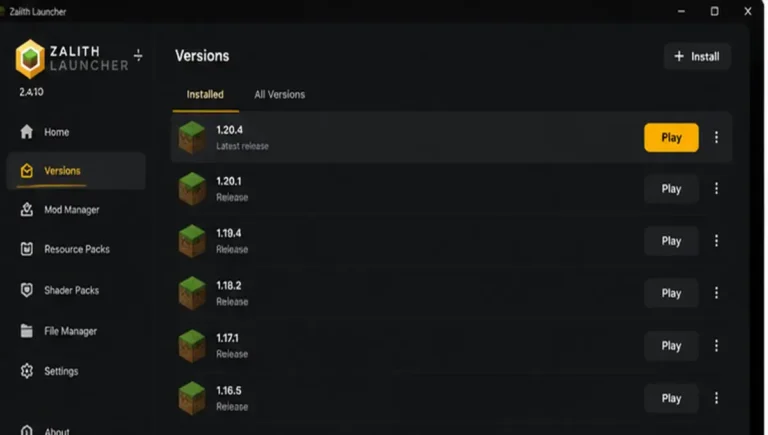
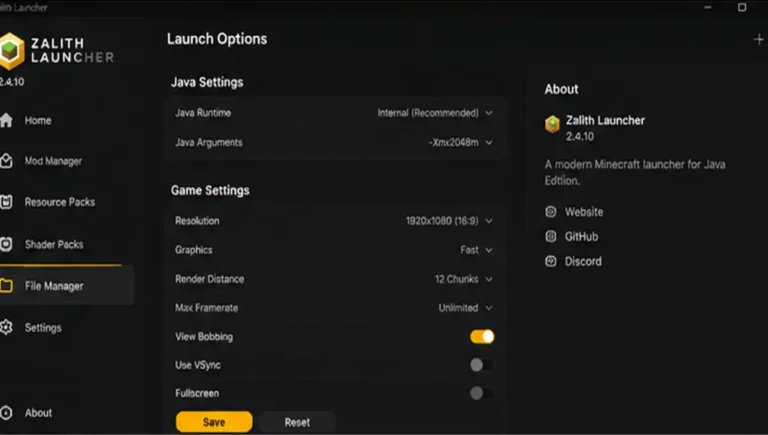
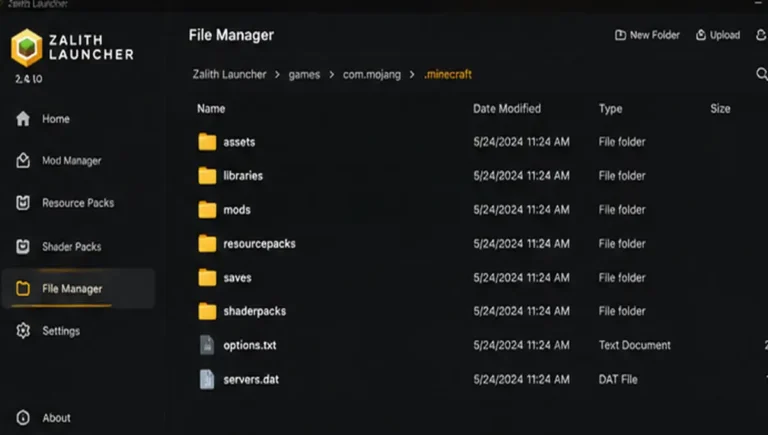
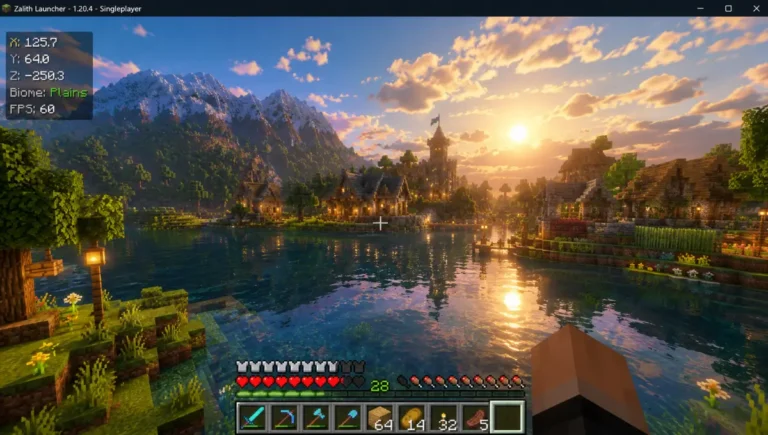
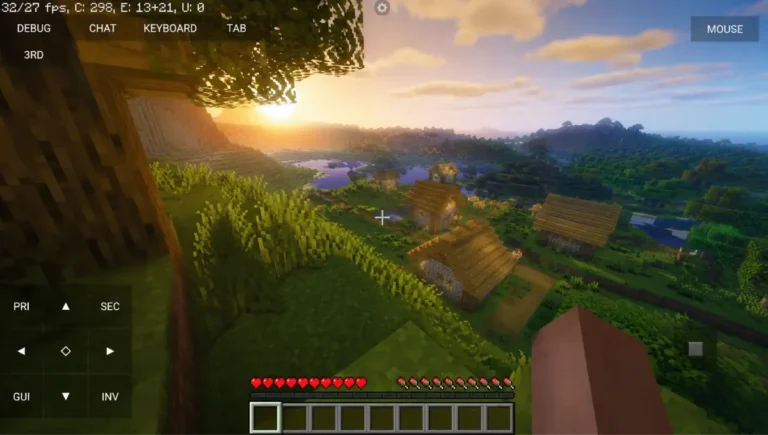
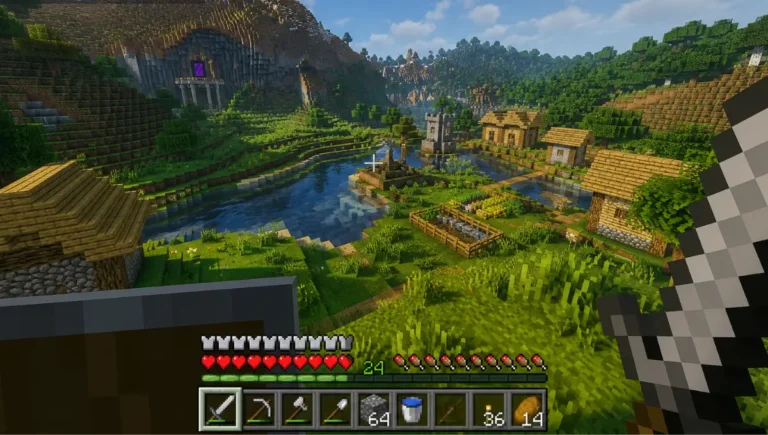
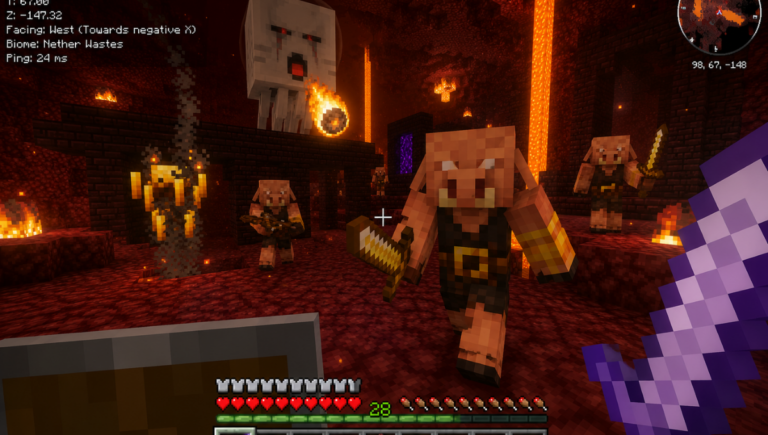
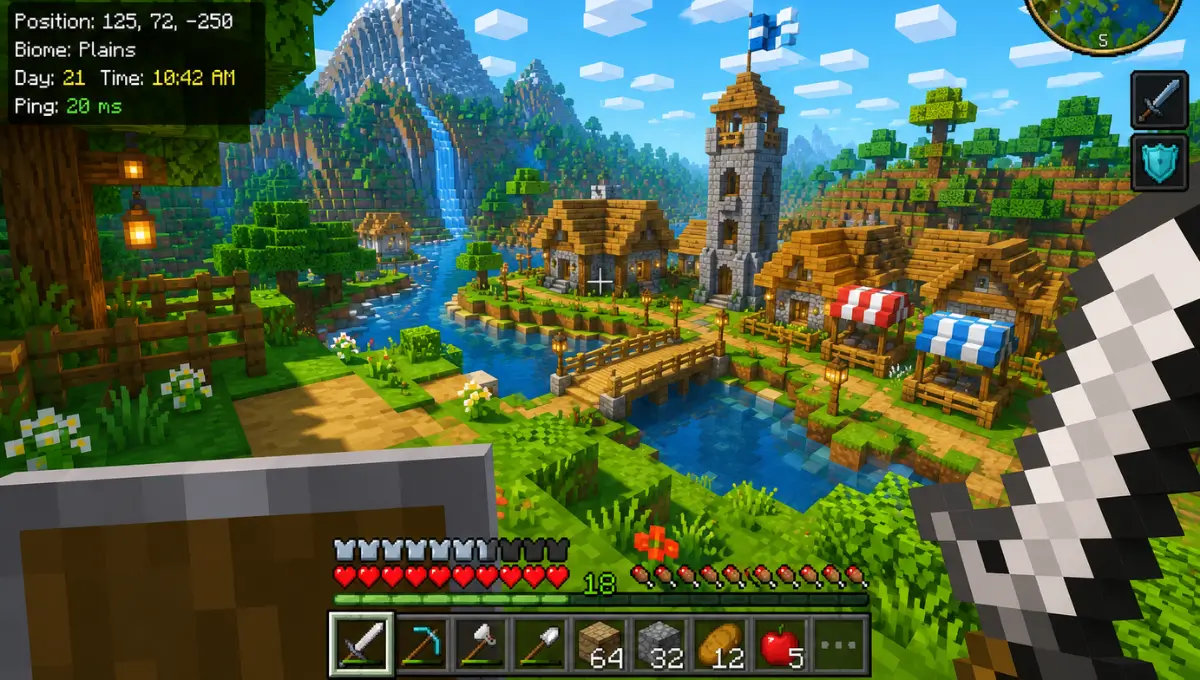
Zalith launcher Gameplay ScreenShort
showcases Minecraft Java Edition running smoothly on Android with high-quality graphics stable performance and an immersive gameplay experience. It gives players a clear preview of the launcher interface controls and in-game visuals before downloading.
Zalith Launcher Gameplay Issues – Causes and Solutions
Experiencing lag, crashes, FPS drops, or other gameplay problems in Zalith Launcher? This guide explains the most common causes behind these issues and provides simple, effective solutions to help you improve performance, fix errors and enjoy a smoother gaming experience.
| Issue | Likely Cause | Fix |
|---|---|---|
| Frequent crashes | Outdated app version | Update to the latest GitHub release |
| Random freezes | Conflicting mods | Remove mods one at a time to isolate the problem |
| Slow performance | Low device memory | Close background apps, lower graphics settings |
| Corrupted saves or errors | Damaged game files | Reinstall the specific Minecraft version affected |
| Mods not loading | Missing API/library plugin | Install the required dependency, such as Fabric API |
Working through this table from top to bottom resolves the vast majority of reported gameplay problems.
Zalith Launcher Not Opening or Crashing? Here’s the Fix
Running into a black screen, sudden crash, or the app refusing to open at all? These issues are more common than they should be, but almost always come down to a handful of fixable causes, like a mismatched APK, outdated version, or corrupted cache.
- Confirm you downloaded the correct APK for your device’s architecture.
- Clear the app’s cache through Android’s app settings.
- Check that your device meets the minimum Android version (8.0 or higher).
- Reinstall the app using a fresh APK from the official GitHub page.
- If the problem persists, check the GitHub Issues page, since your exact crash may already have a documented fix.
Zalith Launcher Release History & Version Timeline
Zalith Launcher has gone through several updates to improve performance stability and Minecraft Java Edition compatibility on Android devices. Each version introduced new features bug fixes and optimizations that enhanced the overall user experience. From its early releases to the latest builds the launcher has focused on smoother gameplay better mod support and improved graphics handling.
| Period | Milestone | Details |
|---|---|---|
| Early development | First public release | Forked from PojavLauncher, with improved UI, built-in file manager and better mod handling |
| Through 2025 | Continuous 1.x updates | Regular fixes for rendering (LWJGL/OpenGL), snapshot compatibility, mod loader support |
| August 2025 | v1.4.0.8 | Added official Discord link, improved VK driver loading |
| December 18, 2025 | v1.4.1.4 (Final v1 release) | Updated authlib-injector to 1.2.7, fixed XaeroPlus SQLite issue, corrected NeoForge version categorization |
| December 2025 | Zalith Launcher 2 pre-releases begin | Early builds introduce Jetpack Compose redesign |
| February 16, 2026 | Zalith Launcher 2 v2.1.0 | Full public release of the redesigned launcher |
| 2026, ongoing | Zalith Launcher 2 active updates | Continuous 2.4.x releases adding NeoForge support, improved mod browser, stability fixes |
Zalith Launcher Vs Zalith Launcher 2
Both Zalith Launcher and Zalith Launcher 2 let you play Minecraft Java Edition on Android but they are built for different generations of the project. The table below highlights the biggest differences including performance compatibility features updates and which version is the better choice for most players today.
| Feature | Zalith Launcher (v1) | Zalith Launcher 2 |
|---|---|---|
| Status | Archived (no longer updated) | Actively maintained |
| Latest Version | 1.4.1.4 (Final) | 2.4.10 |
| UI Framework | Classic Android UI | Jetpack Compose + Material Design 3 |
| Interface Design | Simple, functional | Modern, redesigned, touch-optimized |
| Release Date | Discontinued Dec 18, 2025 | Full release Feb 16, 2026 |
| Mod Loader Support | Forge, Fabric | Forge, Fabric, Quilt, NeoForge |
| Renderer Options | VirGL, basic renderers | MobileGlues, Zink, VirGL (improved) |
| Touch Controls | Basic | Advanced (gesture-based, direct inventory interaction) |
| Performance | Good | Better (optimized, includes FPS counter) |
| File Manager | Built-in | Built-in, improved |
| Mod Browser | Manual install only | In-app browser (CurseForge, Modrinth) |
| Best For | Legacy/basic use (not recommended now) | All new users |
Zalith Launcher Performance Settings – Reduce Lag, Boost FPS
Zalith Launcher Performance Settings can make a huge difference if you want smoother gameplay and better stability while playing Minecraft Java Edition on Android. Many players experience lag frame drops or slow loading times because their settings are not optimized for their device. By adjusting the right performance options you can reduce unnecessary resource usage and improve overall game responsiveness.
Real Zalith Launcher Users Talk: Reviews & Community Feedback
Across community discussions, a few consistent themes show up. Players switching from PojavLauncher frequently mention smoother performance and noticeably fewer random crashes. The built-in file manager gets praised often, since it removes a lot of the friction Android normally creates around file permissions.
The pace of development also comes up a lot. Because updates ship regularly through GitHub, bugs tend to get addressed faster than with older, archived alternatives. Some users on lower-end or older devices do mention needing to adjust settings, like render distance or renderer choice, to get consistently smooth gameplay. Overall, sentiment leans strongly positive, particularly among players who value an actively maintained, transparent, open-source project over a flashier but less reliable option.
Pros & Cons
Every launcher has its strengths and limitations and Zalith Launcher is no exception. One of its biggest advantages is the ability to run Minecraft Java Edition on Android with a wide range of customization options. Users can install different game versions add mods use resource packs and adjust performance settings according to their device. The launcher is also designed to help improve gameplay by offering tools that reduce lag and boost FPS on supported devices.
✅ Pros
❌ Cons
FAQs
Find quick answers to common questions about Zalith Launcher Performance Settings including FPS improvement lag reduction compatibility and optimization tips.
Conclusion
Zalith Launcher has earned its reputation the hard way, through years of consistent updates, a genuinely open codebase and features that solve real problems Android Minecraft players actually face. From its early days as a PojavLauncher fork to the modern, redesigned Zalith Launcher 2, the project has stayed focused on one goal: making Java Edition feel natural on a phone.