Zalith Launcher Latest on PC with Android Emulator
Want to play Minecraft Java Edition on your computer using an Android emulator? This complete guide covers Launcher on PC, including full details of both Zalith Launcher 1 (the original, now archived project) and Zalith Launcher 2 (the actively developed successor). You will learn what each version offers, how to install them inside a PC Android emulator like BlueStacks, LDPlayer, MEmu or NoxPlayer and how to configure everything for the smoothest Minecraft Java experience possible.
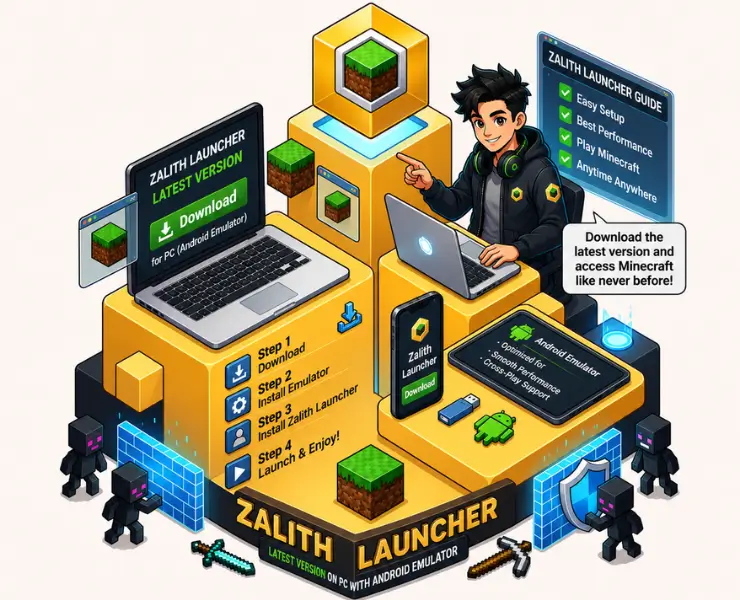
Can You Run Zalith Launcher on PC?
Zalith Launcher is built as an Android application (APK), so it does not have a native Windows or Mac version. The only way to run it on a PC is through an Android emulator — software that creates a virtual Android device on your computer so the APK can be installed and launched just like on a phone or tablet. Once installed inside an emulator, both Launcher 1 and Launcher 2 work exactly as they do on a real Android device, letting you play Minecraft Java Edition with a mouse, keyboard, or controller on a bigger screen.
Zalith Launcher 2 – Complete Details
Zalith Launcher 2 is the current, actively maintained launcher that lets players run Minecraft Java Edition on Android devices, and by extension inside PC emulators. It is a full rewrite built with modern Android development tools (Jetpack Compose and Material 3), replacing the original Zalith Launcher with a cleaner interface, better resource management, and continuous updates. It supports multiple mod loaders, shaders, resource packs, and multiplayer servers, making it the recommended choice for most users in 2026.
| Property | Details |
|---|---|
| Application Name | Zalith Launcher 2 |
| Current Version | v2.4.10 Hotfix |
| Status | Actively Developed |
| Developer | Zalith Team (MovTery and contributors) |
| Base Technology | Jetpack Compose, Material 3, built on PojavLauncher/Boardwalk foundations |
| Android Required | Android 8.0 or Higher |
| Supported Architectures | ARM64-v8a, ARM-v7a, x86, x86_64, Universal APK |
| Category | Minecraft Java Edition Launcher |
| License | Open Source (GitHub) |
Launcher 2 Key Features
Rebuilt Modern Interface
A Material 3 design that is cleaner, faster, and easier to navigate on both phones and emulator windows.
Mod Loader Support
Fabric, Forge, Quilt and NeoForge are supported for full Minecraft Java modding.
Shader Support
Install compatible shader packs directly for improved lighting, shadows, and water effects.
Multiplayer Ready
Join public or private servers and play on LAN with friends, same as on desktop Minecraft.
Zalith Launcher 2 – Universal APK
Works on nearly every Android version and every emulator, ideal if you are unsure which architecture your emulator uses.
Zalith Launcher 2 – ARM64-v8a
Best for modern 64-bit emulators such as BlueStacks 5, MuMu Player and MEmu Play running in ARM64 mode.
Zalith Launcher 2 – x86_64
Recommended for Intel-based PC emulators, since most Android emulators translate ARM apps through an x86/x86_64 virtual CPU.
Launcher 1 – Complete Details
Zalith 1 was the original launcher that started the Zalith project, based on PojavLauncher and Boardwalk. It introduced a redesigned interface, a built-in file manager, and easier version management for playing Minecraft Java Edition on Android. The repository is now officially archived by its developers due to maintenance difficulties, with its final release being version 1.4.1.4. It still works and can still be installed inside a PC emulator for users who prefer its interface or need it for a specific setup, but it no longer receives new updates.
| Property | Details |
|---|---|
| Application Name | Zalith Launcher (Original / v1) |
| Final Version | v1.4.1.4 |
| Status | Archived – no longer maintained |
| Successor | Zalith Launcher 2 |
| Base Technology | Built on PojavLauncher and Boardwalk (JVM Launcher) |
| Android Required | Android 8.0 or Higher |
| Category | Minecraft Java Edition Launcher |
| License | GPL-3.0 Open Source |
Best Android Emulators to Run Zalith Launcher on PC
Choosing a reliable Android emulator makes a big difference in how smoothly Zalith Launcher and Minecraft Java Edition run on your computer. Below are the most commonly used options in 2026.
| Emulator | Best For | Notes |
|---|---|---|
| BlueStacks 5 | General all-round use | Most versatile, widest Android version support, beginner-friendly |
| LDPlayer 9 | Performance and low input lag | Runs well on mid-range and lower-end PCs, good for older hardware |
| MEmu Play | Multiple instances / customization | Deep settings for CPU, RAM, and resolution allocation |
| MuMu Player | High frame rates | Vulkan-based rendering, also available for Apple Silicon Macs |
| NoxPlayer | Lightweight setups | Simple interface, works on older or lower-spec systems |
Also Read: zalith launcher download guide for android
PC System Requirements for Emulator + Zalith Launcher
Before installing Zalith Launcher on PC with an Android emulator it is important to check your system specifications. A compatible processor sufficient RAM and available storage help ensure smooth performance and stable gameplay. For the best experience a modern multi core CPU at least 8GB RAM and updated graphics drivers are recommended. Meeting the required system specifications allows Zalith Launcher and your chosen emulator to run efficiently while supporting Minecraft Java Edition mods shaders and resource packs without major lag or crashes.
| Component | Minimum Requirements | Recommended Requirements |
|---|---|---|
| Operating System | Windows 8.1 (64-bit) | Windows 11 (64-bit) |
| RAM | 4 GB | 8 GB or More |
| Storage | 5 GB Free Space | 10 GB Free Space (SSD Recommended) |
| Processor | Dual-Core | Quad-Core or Higher |
| Graphics | DirectX 9 Compatible | Dedicated GPU with updated drivers |
| Virtualization | Enabled in BIOS | Hyper-V / VT-x / AMD-V Enabled |
How to Install Launcher on PC Using an Android Emulator
Learn how to install Zalith Launcher on PC using an Android emulator like BlueStacks or LDPlayer. Follow simple steps to set up the launcher and enjoy Minecraft Java Edition with mods shaders and smooth performance on Windows.
Download and Install an Android Emulator
Choose an emulator such as BlueStacks, LDPlayer, MEmu, or NoxPlayer from its official website and install it on your PC.
Enable Virtualization in BIOS
Make sure Intel VT-x or AMD-V, along with Hyper-V (Windows), is enabled for the emulator to run smoothly.
Launch the Emulator and Sign In
Open the emulator, complete the initial setup, and sign in with a Google account if prompted.
Download the Zalith Launcher APK
Use the download buttons on this page to get Zalith Launcher 1 or Zalith Launcher 2 directly on your PC.
Install the APK Inside the Emulator
Drag and drop the downloaded APK file into the emulator window, or use the built-in APK installer/file manager.
Grant Storage Permissions
Open Zalith Launcher from the emulator's app drawer and allow storage and file access permissions when requested.
Configure RAM and Graphics Settings
In the emulator settings, allocate sufficient RAM and CPU cores, then set your preferred renderer inside Zalith Launcher.
Select a Minecraft Version and Play
Choose your Minecraft Java Edition version, let the launcher download required files, and press Play to start.
Recommended RAM Allocation on Emulator
| PC Total RAM | Emulator Allocation | Zalith Launcher Allocation |
|---|---|---|
| 8 GB | 3 GB | 1.5 GB |
| 16 GB | 6 GB | 3 GB |
| 32 GB | 10 GB | 4–6 GB |
Common Emulator Issues & Fixes
Emulator Won't Start / Black Screen
Zalith Launcher Crashes Inside the Emulator
Low FPS or Lag in Minecraft
Pros & Cons
Pros
Cons
FAQs
Quick answers about running Launcher 1 and Launcher 2 on PC using an Android emulator.
Conclusion
Zalith Launcher on PC with an Android emulator is a simple way to enjoy Minecraft Java Edition on a larger screen. Whether you use BlueStacks LDPlayer or another emulator the setup process is straightforward and works well for most users. You get access to multiple Minecraft versions mods resource packs and performance settings without needing a complex installation. If you want a smooth Minecraft Java experience on your computer Zalith Launcher with an Android emulator is a practical and beginner-friendly solution.