Zalith Launcher 2 v2.6.0 APK Download Latest Version for Android
Run Minecraft Java Edition on Android with Zalith Launcher 2 v2.6.0 Hotfix.Download Zalith Launcher 2 v2.6.0 APK for Android with the latest updates performance improvements and settings options for a smoother Minecraft Java experience.
This updated release offers better performance improved stability mod and shader support plus compatibility with multiple Minecraft versions. Follow this complete guide to download the correct APK install it safely and get the best Minecraft experience on your Android device.
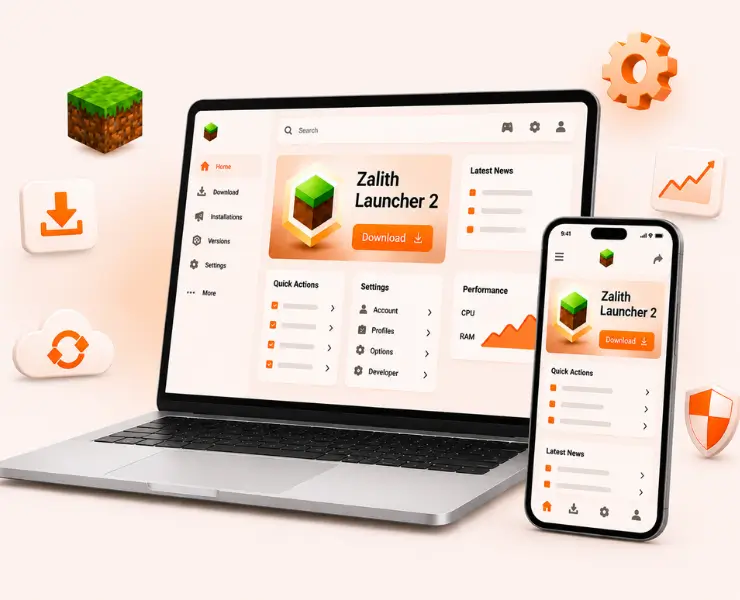
What is Zalith Launcher 2?
Zalith Launcher 2 is the latest generation Minecraft Java Edition launcher for Android devices. It allows players to run Minecraft Java on their phones and tablets while supporting modern features such as mods shaders resource packs and multiplayer servers.
The v2.6.0 Hotfix release focuses on improving performance stability and compatibility across different Android devices. Compared to older launcher versions Zalith Launcher 2 provides a cleaner interface better resource management and enhanced support for newer Minecraft versions.
Whether you want to play vanilla Minecraft install Fabric mods or use advanced shaders Zalith Launcher 2 gives Android users a PC-like Minecraft experience.
| Property | Details |
|---|---|
| Application Name | Zalith Launcher 2 |
| Version | v2.6.0 |
| File Size | 60–120 MB (varies by architecture) |
| Developer | Zalith Team |
| Android Required | Android 8.0 or Higher |
| Supported Architectures | ARM64-v8a ARM-v7a Universal APK |
| Category | Minecraft Java Edition Launcher |
| License | Free & Open Source |
Zalith Launcher 2 Key Features
Zalith Launcher 2 comes with several powerful features that make playing Minecraft Java Edition on Android easier and more enjoyable. It supports multiple Minecraft versions popular mod loaders shaders resource packs and multiplayer servers. The launcher also includes performance optimization tools improved memory management and a modern user interface to deliver a smoother gaming experience across compatible Android devices.
File Manager Integration
Manage game files resource packs mods and shader folders directly from the launcher.
Modern Material Design Interface
The updated user interface is cleaner faster and easier to navigate.
Mod Loader Support
Supports Fabric Forge Quilt and NeoForge for enhanced Minecraft modding.
Shader Support
Install compatible shader packs to improve lighting shadows and visual effects.
Resource Pack Support
Customize textures blocks items and the game interface.
Better Performance Management
Advanced graphics and memory controls help reduce lag and improve FPS.
Multiplayer Compatibility
Join online servers and play with friends using supported Minecraft versions.
Multi-Version Minecraft Support
Play multiple Minecraft Java versions from a single launcher without reinstalling the game.
System Requirements For Zalith Launcher 2
Before installing Zalith Launcher 2 make sure your device meets the following requirements.
| Component | Minimum Requirements | Recommended Requirements |
|---|---|---|
| Android Version | Android 8.0 | Android 11 or Higher |
| RAM | 3 GB | 6 GB or More |
| Storage | 2 GB Free Space | 5 GB Free Space |
| Processor | ARM-v7a | ARM64-v8a |
| Internet | Required | Stable High-Speed Connection |
Devices with higher specifications generally provide smoother gameplay and better FPS.
Zalith Launcher 2 Apk Download by Architecture
Zalith Launcher 2 is available in multiple APK architectures to ensure compatibility with different Android devices. Choosing the correct version is important for smooth installation better stability and optimal performance. If you are unsure about your device architecture you can use the Universal APK which supports most compatible Android phones and tablets.
| Version | Architecture | Recommended For |
|---|---|---|
| Zalith Launcher 2 v2.6.0 ARM64-v8a | 64-bit ARM | Modern Android Devices |
| Zalith Launcher 2 v2.6.0 ARM-v7a | 32-bit ARM | Older Android Devices |
| Zalith Launcher 2 v2.6.0 x86 | 32-bit x86 | Intel-based Android Devices |
| Zalith Launcher 2 v2.6.0 x86_64 | 64-bit x86 | Intel 64-bit Devices and Emulators |
| ZalithLauncher-2.4.11_hotfix1.apk | Universal | All Supported Android Devices |
Zalith Launcher 2 v2.6.0 ARM64-v8a
This version is designed for modern Android smartphones with 64-bit processors.
| Property | Details |
|---|---|
| Compatible Devices | Samsung Galaxy S Series Google Pixel Xiaomi Redmi Poco OnePlus Realme Vivo Oppo and most recent Android phones |
| File Type | APK |
| Installation | Download the APK and install it manually on Android |
Zalith Launcher 2 v2.6.0ARM-v7a
This version supports older Android devices that use 32-bit processors.
| Property | Details |
|---|---|
| Compatible Devices | Older Samsung Motorola Huawei LG and entry-level Android phones. |
| File Type | APK |
| Installation | Download the APK and install manually after enabling unknown sources. |
Zalith Launcher 2 v2.6.0 x86 APK
This version is designed for older Android devices that use x86 processors for better compatibility and performance.
| Property | Details |
|---|---|
| Compatible Devices | Older Intel-based Android phones tablets and devices with x86 architecture. |
| File Type | APK |
| Installation | Download the APK file and install it manually after enabling unknown sources in your device settings. |
Zalith Launcher 2 v2.6.0 x86_64 APK
This version supports Android devices with 64-bit x86 processors and provides improved compatibility and performance for supported devices.
| Property | Details |
|---|---|
| Compatible Devices | Android devices with Intel x86_64 architecture including some older tablets and emulator-based systems. |
| File Type | APK |
| Installation | Download the APK file and install it manually after enabling unknown sources from your device settings. |
ZalithLauncher-2.4.11_hotfix1.apk
The Universal APK contains support for multiple processor architectures.
| Property | Details |
|---|---|
| Compatible Devices | Most Android devices supported by Zalith Launcher. |
| File Type | APK |
| Installation | Download and install directly without selecting a specific architecture. |
How to Install Zalith Launcher 2
Installing Zalith Launcher 2 is simple and only takes a few minutes. First download the APK version that matches your device architecture. Enable installation from unknown sources in your Android settings then open the downloaded APK file and complete the installation process. After launching the app allow the required permissions and download any additional runtime files if prompted. Once setup is complete choose your preferred Minecraft version and start playing Minecraft Java Edition on your Android device.
Step 6: Configure Memory Allocation
Set RAM allocation according to your device.
| Device RAM | Recommended Allocation |
|---|---|
| 4 GB RAM | 2 GB |
| 6 GB RAM | 3 GB |
| 8 GB RAM | 4 GB |
| 12 GB+ RAM | 4-6 GB |
Enable Installation from Unknown Sources
Open your Android device settings and navigate to Security or Privacy settings. Allow installation from unknown sources so APK files can be installed manually.
Download the Correct APK Version
Select the APK file that matches your device architecture. You can choose ARM64-v8a ARM-v7a x86 x86_64 or the Universal version.
Install Zalith Launcher 2
Locate the downloaded APK file in your Downloads folder. Tap the file and follow the installation prompts until the process finishes.
Launch the Application
Open Zalith Launcher from your app drawer. Grant storage and file access permissions when requested by the launcher.
Download Required Runtime Files
The launcher may automatically download Java runtime components and additional files required to run Minecraft Java Edition.
Adjust Memory Allocation
Configure RAM allocation according to your device specifications. Proper memory settings can improve stability and gaming performance.
Select Your Minecraft Version
Choose the Minecraft Java Edition version you want to play. The launcher will prepare and download the required game files.
Start Playing Minecraft
Press the Play button and launch Minecraft Java Edition. You can now enjoy mods shaders resource packs and multiplayer servers.
How to Transfer Data from Zalith Launcher 1
If you are upgrading from Zalith Launcher 1 you can transfer your existing Minecraft data to avoid losing worlds mods resource packs and settings. The process is simple and helps you continue your gameplay without starting from scratch. Before transferring files it is recommended to create a backup of your data to prevent accidental loss during the migration process.
Data That Can Be Transferred
Transfer Process
The transfer process allows you to move your Minecraft worlds settings resource packs and other important data from Zalith Launcher 1 to Zalith Launcher 2. By copying the required files into the new launcher directories you can continue playing without losing your existing progress or custom content.
Locate Your Existing Zalith Launcher 1 Folder
Find the current Zalith Launcher 1 directory where your Minecraft worlds settings resource packs and other game data are stored.
Create a Complete Backup
Back up all important files including saved worlds screenshots resource packs and configuration files before making any changes.
Install Zalith Launcher 2
Download and install the latest Zalith Launcher 2 APK on your Android device using the recommended installation method.
Transfer Your Files
Copy the required game folders and data files from Zalith Launcher 1 into the appropriate Zalith Launcher 2 directories.
Restart Zalith Launcher 2
Close the launcher completely and open it again so it can detect and load the transferred content correctly.
Verify Your Content
Check that your Minecraft worlds resource packs mods and settings appear correctly inside the new launcher.
Download Required Updates
If prompted allow Zalith Launcher 2 to download any runtime files or additional components required for compatibility.
Start Playing
Launch Minecraft Java Edition and continue playing with your existing worlds settings and content in Zalith Launcher 2.
Mods Shaders & Multiplayer Support
One of the biggest reasons users choose Zalith Launcher 2 is its support for customization.
Mod Support
Supported mod loaders include:
Popular optimization mods include:
Shader Support
Compatible shaders can improve Minecraft visuals dramatically.
Benefits include:
Multiplayer Support
Players can connect to supported Minecraft servers and enjoy online gameplay with friends.
Multiplayer features include:
App Not Installing
If Zalith Launcher 2 is not installing on your Android device the issue is usually related to compatibility settings storage limitations or an incorrect APK version. This is one of the most common installation problems and can usually be fixed within a few minutes.
Possible Causes
Solutions
Black Screen
A black screen may appear when launching Zalith Launcher 2 or Minecraft Java Edition. This issue is usually related to graphics settings missing files or corrupted cache data.
Possible Causes
Solutions
Launcher Crashes
Launcher crashes can happen due to incompatible mods incorrect memory allocation corrupted files or outdated launcher components. Most crashes can be fixed by checking recent changes and updating the launcher.
Possible Causes
Solutions
Minecraft Not Launching
Sometimes Zalith Launcher 2 opens normally but Minecraft itself fails to launch. This is usually caused by missing game files configuration issues or incompatible mods.
Possible Causes
Solutions
Low FPS
Low FPS is a common performance issue that can make Minecraft feel slow and laggy. It is usually caused by demanding graphics settings heavy shaders or limited device resources.
Possible Causes
Solutions
Why Choose Zalith Launcher 2
Zalith Launcher 2 is designed for Minecraft Java Edition players who want a smoother and more customizable experience on Android. It offers better performance improved stability mod and shader support multiplayer compatibility and an updated interface. With support for multiple Minecraft versions and advanced optimization features it helps users enjoy PC-like Minecraft gameplay directly on their mobile devices.
Better Performance
Zalith Launcher 2 is optimized for Android devices and offers improved memory management smoother gameplay and better FPS. Its advanced performance settings help reduce lag and provide a more stable Minecraft Java experience.
Modern Interface
Zalith Launcher 2 features a clean and user-friendly interface that makes navigation simple. The updated design helps players manage Minecraft versions mods shaders and settings more efficiently on Android devices.
Enhanced Compatibility
Zalith Launcher 2 supports multiple Minecraft Java versions and works with popular mod loaders resource packs and shaders. Its improved compatibility ensures a smoother experience across a wide range of Android devices.
Easier Management
Zalith Launcher 2 makes it easy to manage Minecraft versions mods shaders resource packs and game files from one place. Its organized interface saves time and simplifies the overall gaming experience.
Active Development
Zalith Launcher 2 is regularly updated with bug fixes performance improvements and new features. Active development helps ensure better stability improved compatibility and support for the latest Minecraft versions.
Pros & Cons
Like any Minecraft launcher Zalith Launcher 2 has both strengths and limitations. It offers excellent performance optimization mod support and a modern interface that enhances the Minecraft Java experience on Android. However some advanced features may require additional setup and performance can vary depending on your device specifications. Understanding these pros and cons can help you decide whether Zalith Launcher 2 is the right choice for your gaming needs.
Pros
Cons
FAQs
Find quick answers to common questions about Zalith Launcher 2 installation compatibility and performance.
Conclusion
Zalith Launcher 2 v2.6.0 is one of the most advanced Minecraft Java Edition launchers available for Android users. It combines multi-version support mod compatibility shader support multiplayer features and performance optimization into a single launcher.
By choosing the correct architecture and following the installation steps in this guide you can quickly set up Minecraft Java Edition on your Android device. Whether you are a casual player or a dedicated modding enthusiast Zalith Launcher 2 provides the tools needed to enjoy a complete Minecraft Java experience on mobile.