What Is Minecraft? A Complete Guide to Gameplay Features and Game Modes On Android (2026)
Chances are you’ve heard the name even if you’ve never picked up a pickaxe — Minecraft has quietly become one of those games that almost everyone recognizes, from young kids building their first house to adults running massive redstone-powered factories. But if you’re new to it, the obvious question is: what exactly is Minecraft, and why has it stayed this popular for over a decade? This guide breaks down what the game actually is, the different ways you can play it, and the features that keep millions of players coming back in 2026.
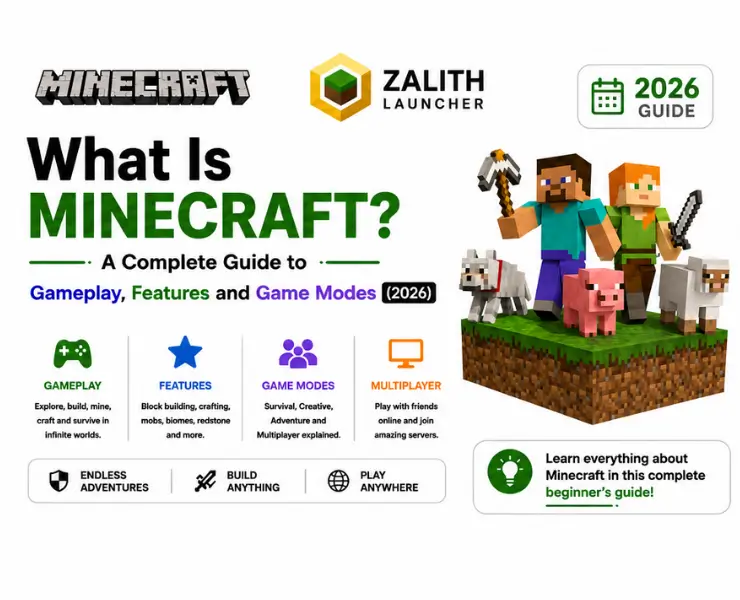
🎮 In short: Minecraft is a sandbox game where you break and place blocks to build, survive, and explore a procedurally generated world. There’s no single “goal” — you decide whether you want to build, fight, farm, or just wander, which is exactly why it appeals to such a wide range of players.
What Is Minecraft, Really?
At its core, Minecraft is a sandbox game built entirely out of cubic blocks — dirt, stone, wood, ore, water, and hundreds of other materials that make up an endless, procedurally generated world. Unlike most games that push you down a fixed storyline, Minecraft hands you the tools and simply lets you decide what to do with them. You can dig deep underground to mine diamonds, chop down forests to build a mansion, tame animals, farm crops, fight hostile mobs, or design complex machines using the game’s redstone circuitry system.
That open-ended structure is exactly why Minecraft has held onto such a massive audience since its original release. There’s no single “correct” way to play — a ten-year-old building a treehouse and an engineer designing a working calculator out of in-game redstone are both playing the exact same game.
A Quick Look at Minecraft’s Origins
Minecraft began as a small passion project by Swedish developer Markus “Notch” Persson, who released the first playable version to a tiny community of testers. Word of mouth turned it into a phenomenon, and the game was later acquired by Microsoft, which has continued expanding it with regular content updates ever since. What started as a simple block-building experiment has grown into one of the best-selling video games of all time, spawning spin-offs, a movie, merchandise, and an enormous modding community.
Also Read: best minecraft settings
Minecraft Editions Compared
Before you jump in, it helps to know that “Minecraft” isn’t a single, uniform product — it actually comes in a few different editions, each with its own strengths depending on what device you’re playing on and what you want out of the game.
| Edition | Platforms | Best For |
|---|---|---|
| Java Edition | Windows, macOS, Linux | Mods, custom servers, and the largest community-made content library |
| Bedrock Edition | Console, mobile, Windows | Cross-platform play and the Marketplace’s official add-ons and skins |
| Education Edition | Windows, macOS, iPad, Chromebook | Classroom use, coding lessons, and structured learning activities |
Java Edition tends to be the go-to choice for players who want mods, resource packs, and total control over their world, while Bedrock is built for wider cross-platform compatibility, letting friends on console, mobile, and PC play together in the same world.
Minecraft Game Modes Explained
One of the first choices you’ll make when starting a new world is which game mode to play in. Each mode changes the rules of the game significantly, so picking the right one depends entirely on what kind of experience you’re after.
| Game Mode | Health & Hunger | Building | Best For |
|---|---|---|---|
| Survival | Enabled | Must gather resources first | The classic experience — mining, crafting, fighting, and surviving |
| Creative | Disabled (unlimited health) | Unlimited blocks, free flight | Pure building and design without resource limits |
| Adventure | Enabled | Restricted (map-dependent) | Custom maps and community-made challenges |
| Hardcore | Enabled, single life only | Must gather resources first | Players who want maximum stakes and permanent consequences |
| Spectator | Disabled, no interaction | None — view only | Watching a world or server without affecting it |
Most new players start in Survival, since it introduces the full loop of gathering resources, crafting tools, and fending off dangers as night falls. Creative mode is often used later once players want to focus purely on architecture and design, and Hardcore is reserved for those who enjoy the tension of knowing that a single death ends the world for good.
Core Gameplay Features
Beyond just placing blocks, Minecraft is built around a handful of interconnected systems that give players an enormous range of things to do. Here’s a look at the features that make up the core loop of the game.
Mining & Resources
Dig through stone, caves, and ravines to collect ores like iron, gold, and diamond used for tools, armor, and enchanting.
Building
Place blocks freely to construct anything from a simple hut to sprawling castles, redstone contraptions, or entire cities.
Crafting
Combine raw materials at a crafting table to create tools, weapons, armor, and hundreds of other useful items.
Farming & Food
Grow crops, breed animals, and manage your hunger bar to keep your character fed and able to regenerate health.
Combat
Fight off hostile mobs like zombies, skeletons, and creepers at night, or take on bosses like the Ender Dragon and the Wither.
Redstone Engineering
Use redstone dust, repeaters, and pistons to build working circuits — from automatic doors to full-scale computers.
Exploration
Discover biomes, villages, temples, and strongholds scattered across an infinite, procedurally generated world.
Taming & Breeding
Tame wolves, horses, and other animals, then breed them to build up your own farms and companions.
The Nether & The End
Travel through portals to alternate dimensions filled with unique resources, mobs, and the final boss fight.
Multiplayer
Join public or private servers to build, trade, and survive alongside friends or strangers from around the world.
Realms
Rent a private, always-online server so your world keeps running even when you’re offline.
Mods & Marketplace
Extend the game with community mods on Java, or official add-ons, skins, and maps from the Bedrock Marketplace.
Where to Start: Survival Basics for New Players
If you’re playing Minecraft for the first time, the number of systems can feel overwhelming. In practice, the early game always follows a similar pattern, no matter which world you spawn into.
Once these basics are handled, the game opens up dramatically — you can start experimenting with enchanting, brewing potions, building redstone contraptions, or setting off toward the Nether to hunt for rarer resources.
Common Beginner Mistakes & How to Avoid Them
Many new Minecraft players make simple mistakes that can slow their progress. Learn the most common errors and discover easy tips to avoid them for a smoother and more enjoyable gameplay experience.
Wandering Too Far Without Marking a Path
Getting Caught Outside at Night
Ignoring Hunger Until It’s Critical
Pros & Cons of Minecraft
Pros
Cons
FAQs
Quick answers to the questions people ask most about Minecraft.
Conclusion
Minecraft’s staying power comes down to one simple idea: it hands you a world made of blocks and lets you decide what to do with it. Whether you’re drawn to Survival’s day-and-night struggle, Creative mode’s unlimited building freedom, or the deep mechanical puzzles of redstone engineering, there’s a version of the game that fits how you like to play. That flexibility, combined with regular updates and a massive modding and Marketplace ecosystem, is exactly why Minecraft has remained one of the most played games in the world well into 2026.
If you’re just getting started, pick Survival mode, follow the basic early-game checklist above, and give yourself permission to explore at your own pace — the best part of Minecraft has always been discovering what you want to do with it, not following someone else’s plan.