Zalith Launcher 1 vs 2: Performance, Mods & Graphics Compared
Minecraft on Android is a game built on creativity and customization, and players enjoy exploring, building, and experimenting with mods and custom worlds. Managing multiple Minecraft versions, plugins, and mods can get messy, especially for anyone running heavy modpacks. Zalith Launcher exists to simplify that process, letting you organize your game installs, mods, and worlds without conflicts.
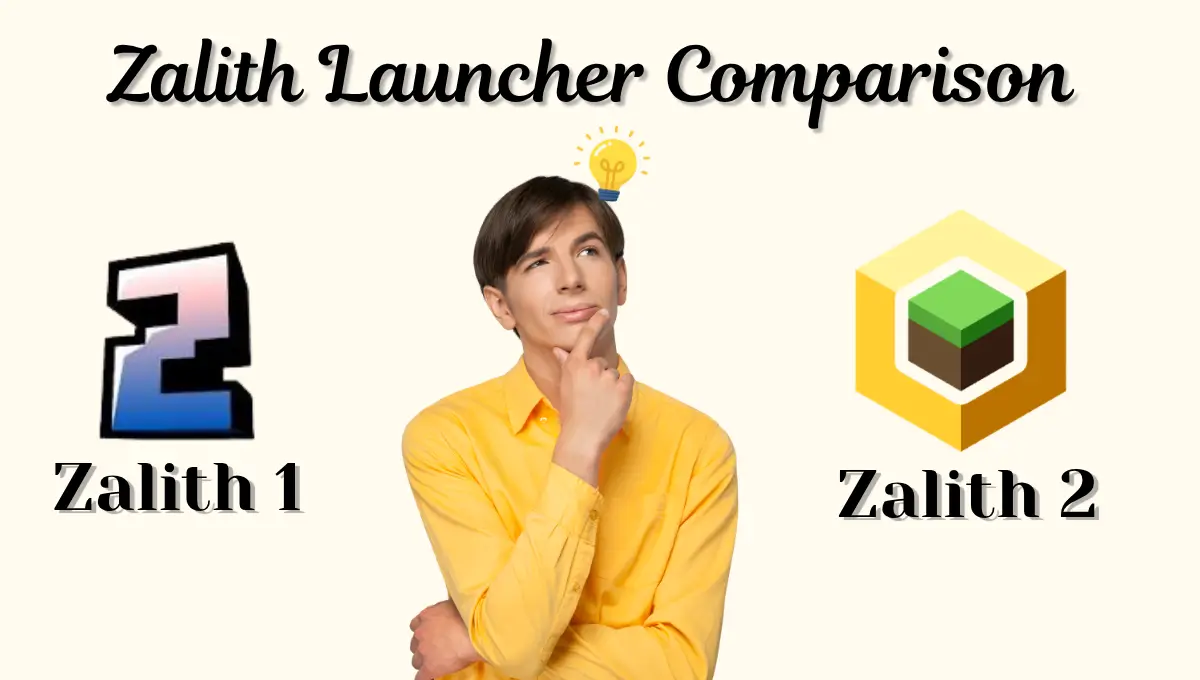
With two generations of the launcher now in circulation, Zalith Launcher 1 (the classic build) and Zalith Launcher 2 (the modern rebuild), many players aren’t sure which one to run. Picking the right version can mean smoother gameplay, fewer crashes, and easier mod management. This guide compares both versions in detail and explains which one fits your setup best.
Quick Answer: Zalith Launcher 1 is the lightweight, original build, minimal interface, low RAM use, and fast startup, best suited to small modpacks, vanilla play, and older or low-end phones. Zalith Launcher 2 is the upgraded, feature-rich build with a modern interface, stronger mod loader support, better rendering, and tools built for large modpacks. Pick Launcher 1 for simplicity and speed, and Launcher 2 if you want full control over mods, graphics, and performance.
August 2026 Update: Which Version Is Better for Minecraft Right Now
Looking at the most recent updates, the gap between Zalith Launcher 1 and Zalith Launcher 2 has become clearer than ever. Launcher 1 continues to receive small, focused updates aimed at stability, better render support, and more consistent mod compatibility, which keeps it a dependable choice for low-end devices. It stays lightweight and doesn’t put much load on the system.
Launcher 2, on the other hand, has picked up genuinely new capabilities in recent updates: an improved rendering pipeline, better FPS handling, and a refreshed interface. These changes make gameplay noticeably more responsive on modern hardware, though they do ask a little more of your device in return.
Read More: zalith launcher add plugins
Zalith Launcher 1: Lightweight and Beginner-Friendly
This is the original build. Its whole design philosophy is simplicity and ease of use, the interface is minimalistic and straightforward, which makes it a comfortable starting point for new players.
Why Choose Zalith Launcher 1
Beginners, or anyone who just wants a lightweight launcher, tend to find Launcher 1 the easiest fit. It loads quickly, uses minimal system resources, and keeps the interface basic enough that no advanced setup is ever required.
Startup Speed
Zalith Launcher 1 opens quickly since it’s built to be lightweight and optimized. The fast startup lets you jump into Minecraft without long loading screens.
Memory Usage
Zalith Launcher 1 uses very little RAM, which makes it suitable for low and mid-range Android phones and keeps gameplay running smoothly.
Ease of Use
A simple, clean interface that’s easy for beginners to follow. Installing Minecraft, picking versions, and adjusting basic settings takes no learning curve.
Compatibility
Works well across a wide range of Android devices and Java editions, including support for running older Minecraft releases smoothly.
Limitations
| Limitation | Explanation |
|---|---|
| Mod Support | Limited support for heavy modpacks and advanced graphics mods |
| Page Limit | Managing a large number of mods gets harder to organize |
| Updates | Fewer feature updates and a smaller active community |
Zalith Launcher 1 is a great fit for players who want a fast, simple experience. It lets you enjoy Minecraft without worrying about complex configurations or performance tuning.
Zalith Launcher 2: Advanced and Feature-Rich
This is the upgraded build, rebuilt with a modern interface for players running large modpacks or pushing enhanced graphics. It brings better organization and a handful of features Launcher 1 simply doesn’t have.
Why Choose Zalith Launcher 2
Players who run multiple mods, plugins, or several Minecraft versions side by side get the most out of Launcher 2. It organizes mods into pages and categories, which keeps access quick and helps performance even as your setup grows.
Mod Support
Native support for Forge, Fabric, Quilt and NeoForge. Install, manage, or disable mods right inside the launcher without extra tools.
Graphics
Advanced rendering options and multi-renderer support, plus shader and texture pack support for smoother, better-looking gameplay on mobile.
Organization
A built-in content manager for modpacks, resource packs, shaders, and worlds, so you can manage everything from one place.
Updates
Regular updates that fix bugs, improve performance, and refine the interface, keeping the Android experience current.
Limitations
| Limitation | Explanation |
|---|---|
| Memory Usage | Slightly higher RAM usage due to the added features |
| Interface | A short learning curve for players coming from Launcher 1 |
Zalith Launcher 2 is ideal for advanced users who want full control over Minecraft. It handles heavy modpacks efficiently and gives you the tools to push graphics and performance further.
Zalith Launcher 1 — Pros & Cons
✅ Pros
❌ Cons
Zalith Launcher 2 — Pros & Cons
✅ Pros
❌ Cons
Key Differences Between Zalith Launcher 1 and 2
This section covers the main differences between the two versions: interface, mod support, plugin handling, page limits, graphics enhancements, and update frequency. Understanding these differences helps you pick the launcher that best fits your Minecraft gameplay.
| Feature | Zalith Launcher 1 | Zalith Launcher 2 |
|---|---|---|
| User Interface | Simple and basic | Modern and interactive |
| Mod Support | Basic Forge support | Forge, Fabric, Quilt and NeoForge |
| Plugin Integration | Manual setup | Automatic detection of compatible plugins |
| Page/Mod Limit | Around 10 pages | 15-20+ pages comfortably |
| Graphics Enhancements | Minimal | Supports shaders and rendering plugins |
| Updates | Occasional, stability-focused | Regular, with active community support |
Performance Tips for Using Zalith Launcher 2
To ensure smooth gameplay even with large or complex modpacks, follow these strategies:
- Organize Pages by Category — Divide mods into categories like Graphics, Gameplay, Utility, and World Enhancements. This keeps the launcher organized and speeds up navigation.
- Check Mod Compatibility — Verify compatibility with Forge or Fabric before adding a mod. Conflicting mods are the most common cause of crashes.
- Allocate RAM Properly — Heavy modpacks need more memory. Adjust the RAM setting inside the launcher to keep performance smooth.
- Monitor Performance — Overcrowding a single page with too many mods can slow the game down. Spread them across categories instead.
- Keep the Launcher Updated — Regular updates bring stability fixes and new features for graphics and performance.
Following these tips keeps gameplay smooth even with complex modpacks.
Choosing the Right Zalith Launcher
Which version to pick depends on your gameplay style, needs, and hardware.
Choose Zalith Launcher 1 if
Choose Zalith Launcher 2 if
For long-term use and maximum flexibility, Zalith Launcher 2 is the recommended pick, it lets you manage mods efficiently and pushes gameplay further with graphics improvements.
Also Read: zalith launcher vs amethyst launcher
How to Organize Pages and Mods Efficiently
Organizing pages and mods well improves both performance and gameplay in Zalith Launcher. Keep the number of pages manageable and test new mods right after adding them to catch conflicts early.
Efficient organization reduces loading time and helps prevent crashes during gameplay.
FAQs
Quick answers to common questions about Zalith Launcher 1 and 2.
Conclusion
Both versions have real strengths. Launcher 1 is ideal for beginners or players who value speed and simplicity above all else. Launcher 2 suits advanced users who need full control over mods, plugins, and graphics. For large modpacks or enhanced visuals, Zalith Launcher 2 is the better pick, for simplicity and speed, Zalith Launcher 1 still works well.
Good page organization, mod management, and keeping the launcher updated make the biggest difference to your experience either way. Both versions exist to make Minecraft modding on Android easier and more reliable.