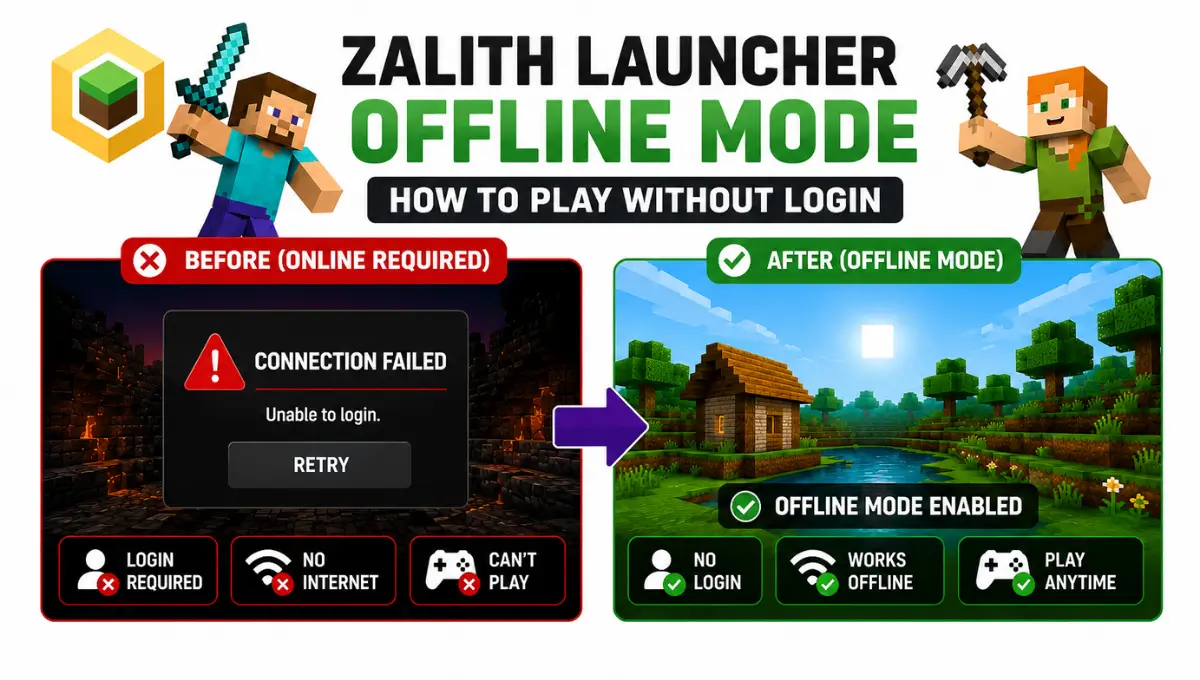
Zalith Launcher Offline Mode — How to Play Without Login
Ask ten Zalith Launcher users what offline mode actually does and you will get ten slightly different answers. Some think it is a cracked client hiding inside a legit app. Others think it is only for testing before you buy the real game. Neither answer is complete, and that gap is exactly why so many players end up confused the first time they open Account Management and see two very different login options staring back at them.
Underneath the simple “type a username and play” surface, offline mode is doing something specific: it skips Microsoft’s servers entirely and builds a local identity that only your device recognizes. That single design choice is what makes it fast and free, and it is also what makes it unsuitable for a chunk of what people try to use it for.
This post goes past the basic setup steps and into the part most guides skip: what is happening behind the scenes, where the real risks sit, and how to tell instantly whether a problem you are facing is a launcher bug or just offline mode doing exactly what it was built to do.
What Happens Behind the Scenes When You Go Offline
Every Minecraft account, official or not, needs two things to enter a world: a username and a UUID, which is a unique ID string the game uses to tell players apart even if two people pick the same name. On a real Microsoft account, that UUID comes from Mojang’s servers and never changes.
Offline mode has no server to ask, so Zalith Launcher generates that UUID locally instead, usually by running your chosen username through a hashing formula. Type the same name twice on the same device and you will get the same UUID both times, which is why your worlds and progress stay linked to that name as long as you keep using it.
The moment the server setting called online-mode gets switched to false, whether that is a private server you are hosting or a friend’s world, the game stops checking with Mojang altogether and simply trusts whatever username walks in. That is the entire mechanism, and understanding it explains almost every quirk and limitation covered further down.
Also Read: How to Manage Game Files with the Built-in File Manager On Zalith Launcher
Setting Up an Offline Account the Right Way
Installing a resource pack in Zalith Launcher is simple and takes only a few minutes. Before importing any pack make sure it matches your Minecraft version to avoid texture issues. Zalith Launcher lets you manage resource packs easily through its built in file manager or Minecraft settings. After enabling the pack restart the game if required so all textures load correctly. Keeping your files organized also makes future updates easier. If you use multiple packs test them one at a time to avoid conflicts. Following these steps ensures Zalith Launcher runs smoothly and gives Zalith Launcher users the best visual experience.
Open the accounts screen
From the launcher home page, tap the account icon to enter Account Management, where every profile you add will show up in one list.
Choose Add Account, then Offline
You will be asked to pick between Microsoft Account and Offline Account. Tap Offline Account to skip any sign in step completely.
Pick a username you will stick with
Since this name generates your UUID, changing it later effectively creates a brand new identity as far as the game is concerned, so choose something you are happy to keep.
Save and check the account list
Confirm the profile and it will now sit alongside any Microsoft accounts already added, ready to be selected before each launch.
Choose your Minecraft version
Offline accounts work with the same version list as any other profile, so pick whichever build your mods or shaders need.
Launch straight into a world
No loading screen for authentication, no waiting on a login server. Tap Play and you are in, even with the phone in airplane mode.
Genuine Perks of Going Offline
Real Trade Offs to Know About
Offline Account vs Microsoft Account, Feature by Feature
Once you understand how the UUID system works in alith Launcher everything becomes much easier to follow. What first looks like a list of confusing rules is actually a simple way to identify Minecraft worlds mods resource packs and saved data without creating conflicts. Zalith Launcher uses unique identifiers to keep files organized and prevent duplicate entries. Learning how this system works helps you move files restore backups and manage game data with confidence. Whether you are installing mods or transferring worlds knowing the UUID system allows Zalith Launcher users to avoid errors and use Zalith Launcher more efficiently.
| Feature | Offline Account | Microsoft Account |
|---|---|---|
| UUID source | Generated locally from your username | Issued and stored by Mojang servers |
| Username changes | Instant, no cooldown, new UUID each time | Allowed once every 30 days |
| Cost | Free | Requires a purchased Java Edition license |
| Single player and LAN | Fully supported | Fully supported |
| Premium public servers | Rejected automatically | Fully supported |
| Skins and capes | Loaded locally from your own files | Official system, tied to your Mojang profile |
| Identity protection | None, anyone can use the same name | Protected by Microsoft login |
| Ban evasion risk | High on servers using online-mode false | Low, tied to a real account |
Since there is no password check, another player on the same offline server can log in using your exact username and nobody will be able to prove which one of you is real.
Adding an offline profile does not touch a Microsoft account already saved in the launcher, so you can freely switch between the two before every session.
Multiplayer, Mods and Skins Without Signing In
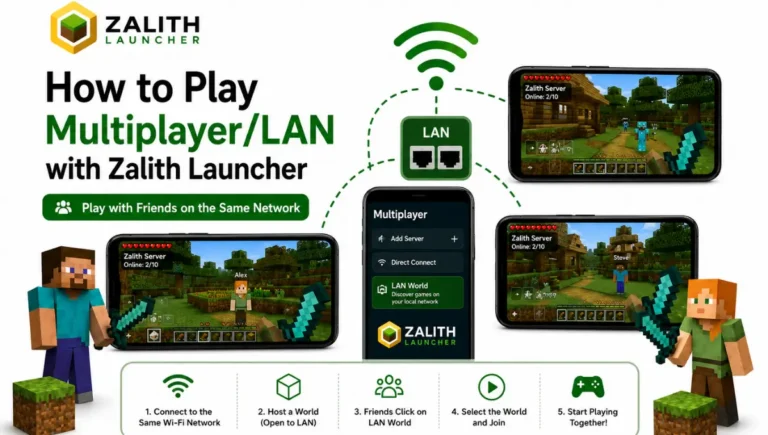
Most features in Zalith Launcher work without requiring a Microsoft account. You can install and use Forge Fabric Quilt and NeoForge because Zalith Launcher loads these mod loaders directly from your local game files. Your account type does not affect mod support or gameplay. Zalith Launcher also supports LAN multiplayer allowing players on the same Wi Fi network to join a shared world quickly without setting up a dedicated server. This makes local multiplayer simple for friends and family. Whether you play online or offline Zalith Launcher provides a smooth experience with full access to its core features.
Skins and capes get handled differently offline compared to a Microsoft profile. Instead of pulling from Mojang’s servers, the launcher lets you load skin and cape files directly from your device, so you are not stuck with a default Steve or Alex skin just because you skipped the login step.
Private servers are where things split based on the host’s own settings. A community server running with online-mode turned off will accept offline accounts without complaint, while anything built around official authentication, Hypixel being the best known example, checks for a genuine Microsoft account before letting anyone through the door.
Fixing the Problems People Actually Run Into
Most offline mode issues in Zalith Launcher are caused by a few common problems and the solution is often straightforward. If the offline account option is missing update Zalith Launcher to the latest official version because older builds may not include this feature. Errors such as Invalid Session or Not Authenticated usually appear when joining servers that require Microsoft authentication.
In these cases Zalith Launcher is working correctly because offline accounts cannot access authenticated servers. Understanding these limitations helps you avoid confusion and use Zalith Launcher offline mode with the correct expectations and fewer connection problems.
A friend cannot see your LAN world usually comes down to network mismatch, either different Wi-Fi networks, one device on mobile data, or a firewall blocking local discovery. Confirm everyone is on the identical network and running the identical Minecraft version before assuming anything is broken.
Losing progress after changing your username is expected behavior rather than a glitch, since a new name generates a new UUID and the game treats it as a completely separate player. Stick with one username per world if continuity matters to you.
FAQs
Fast answers to the questions that come up most often about offline accounts.
Conclusion
Offline mode in Zalith Launcher is not a shortcut around paying for Minecraft, it is a genuine local login system built for solo play, quick testing and LAN nights with friends. Once you understand that your username is really generating a UUID behind the scenes, every rule around it, from the identity risk on public servers to why changing your name resets your progress, stops feeling random and starts making sense.
Where it falls short is exactly where you would expect: no password protection, no premium server access, and no official skin system. None of that is a flaw in the launcher, it is simply the natural result of skipping Microsoft’s servers entirely.
If your plans stay inside single player worlds, private servers that welcome offline clients, or a living room full of friends on the same Wi-Fi, offline mode gives you everything you need in under a minute of setup and none of the friction of a full account.