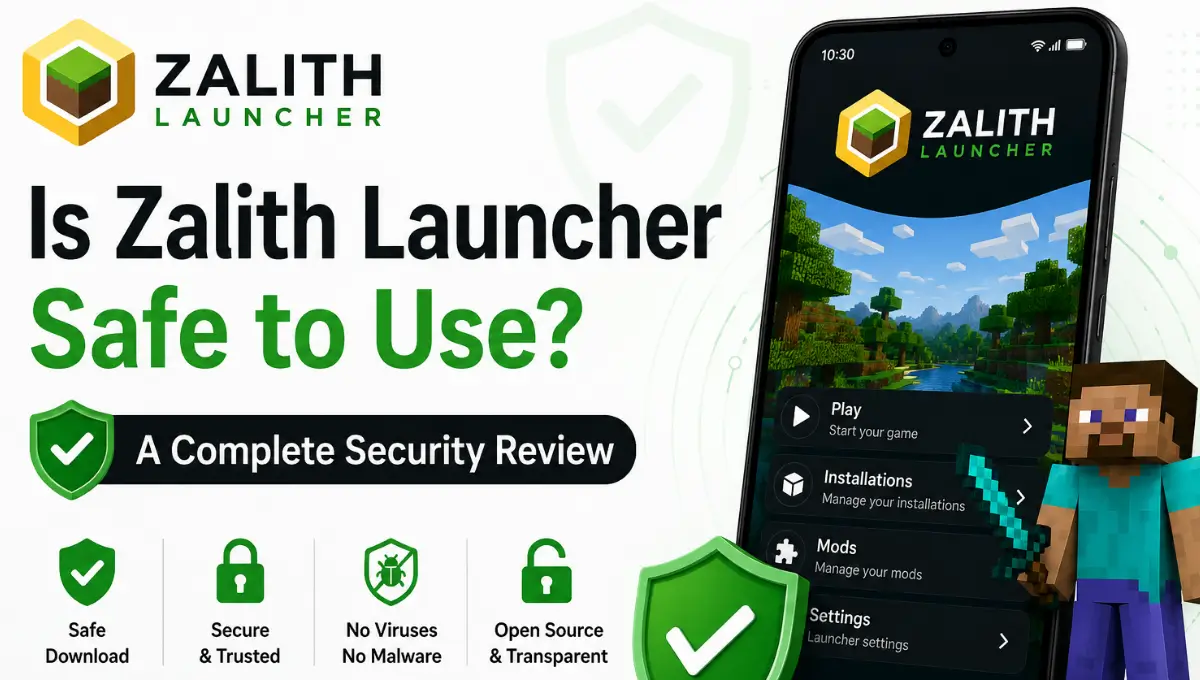
Is Zalith Launcher Safe to Use? A Complete Security Review
You’ve heard Zalith Launcher can run full Minecraft: Java Edition on your phone, mods, shaders and all, and now you’re wondering whether installing an APK from outside the Play Store is actually a smart move. It’s a fair question. Sideloading anything on Android comes with real risk and the Minecraft launcher space in particular has a history of clone sites and ad-stuffed knockoffs riding on a genuine project’s name.
The short answer is that Zalith Launcher itself is safe, it’s open-source, actively maintained, and built by a transparent community team. The risk almost never comes from the software’s code; it comes from where you download it from. This review breaks down exactly what Zalith Launcher is, how its safety actually holds up under scrutiny, which sources are legitimate, and which red flags mean you’ve landed on an impostor site.
What Exactly Is Zalith Launcher?
Zalith Launcher is an Android app that lets you run Minecraft: Java Edition, not Bedrock, on your phone or tablet. It’s built on top of PojavLauncher’s core engine, and the current generation, Zalith Launcher 2, rebuilds the interface using Jetpack Compose and Material Design 3 for a noticeably more modern, native-feeling experience than most mobile Minecraft launchers offer. It supports Forge, Fabric, Quilt, and NeoForge mod loaders, shaders, resource packs, full multiplayer and LAN play, and both Microsoft-account and offline logins.
Also Read: Zalith Launcher Offline Mode — How to Play Without Login
Breaking Down the Safety Question
To answer whether Zalith Launcher is safe you need to look at several factors including its source permissions updates and community reputation. Breaking down each point makes it easier to understand the real security risks and benefits.
1. Is the Source Code Transparent?
Yes. Zalith Launcher and Zalith Launcher 2 are both hosted publicly on GitHub under the ZalithLauncher organization. The full codebase, build history, and issue tracker are open for anyone to review, which is precisely the kind of transparency you want from an app that isn’t distributed through Google’s official review process.
2. Is It Distributed Through Official Channels?
This is where things get murkier, and where most of the actual danger lives. Zalith Launcher is not on the Google Play Store, so every install happens through sideloading. The developers themselves have publicly flagged that a third-party site using the Zalith name was set up purely to display ads, and that it is not affiliated with the real project in any way. Their own official domain ends in .cn, and their GitHub releases page is the other trustworthy source.
3. What Permissions Does It Actually Need?
Like any Minecraft launcher, it needs storage access to manage game files, worlds, mods, and resource packs, plus network access for multiplayer and account login. A genuine copy has no business requesting permissions like SMS access, call logs, contacts, or accessibility services, if a downloaded APK asks for any of those, that’s a strong signal it’s been repackaged with something extra bundled in.
4. Is It Legal to Use?
Yes. Zalith Launcher doesn’t distribute Minecraft’s game files itself, it launches the copy tied to your own Microsoft account, the same way the official desktop launcher does. It operates within Mojang’s terms for third-party launchers rather than against them, and it is not affiliated with or endorsed by Microsoft, Mojang, or NetEase.
Safety at a Glance
Safety at a glance Zalith Launcher is generally considered safe when downloaded from a trusted source and kept up to date. Following basic security practices helps protect your device and Minecraft data while using the launcher.
| Factor | Status | Why It Matters |
|---|---|---|
| Source code | Open-source on GitHub | Anyone can audit what the app actually does |
| Play Store listing | Not available | Sideloading is required, so source matters more than usual |
| Official distribution | GitHub releases + official site | Only trustworthy places to get the real APK |
| Known impostor sites | Confirmed to exist | Developers have publicly warned users about ad-driven clones |
| Required permissions | Storage + network only | Matches what a launcher genuinely needs, nothing more |
| Legal standing | Compliant with Mojang’s terms | Doesn’t redistribute game files, just launches your licensed copy |
A Safe-Install Checklist
While Zalith Launcher is generally safe there are a few risks every user should understand before installing it. Downloading modified APKs from unknown websites can expose your device to malware or unwanted changes. Using outdated versions may lead to crashes compatibility issues or security vulnerabilities. Granting unnecessary permissions can also increase privacy risks. In some cases unofficial mods or resource packs may cause game instability or corrupt world files. To stay safe always download Zalith Launcher from a trusted source keep it updated and install only verified mods shaders and resource packs from reliable communities.
Download Only From GitHub or the Official Site
Get the APK from the ZalithLauncher GitHub releases page or the developers’ own official domain. Skip search-result mirrors you haven’t verified.
Check the Domain Carefully
The developers have specifically warned that lookalike sites exist purely to serve ads under their name. A rushed glance at a URL is how most people get caught out.
Scan the APK Before Installing
Run the downloaded file through a scanner like VirusTotal first. It takes under a minute and catches repackaged or tampered builds.
Review the Permission Prompts
Storage and network access are normal. Requests for SMS, contacts, or call logs are not, and are a reason to stop the install immediately.
Keep It Updated
Update through the same official channel you first installed from. Security fixes and login-flow improvements land with every release.
Avoid “Modded” or “Premium” Reuploads
Third parties sometimes repackage the open-source code with extra bundled software. Stick to the unmodified builds from the project’s own repository.
Real Risks Worth Knowing About
Like any Android launcher Zalith Launcher has a few real risks if you download unofficial files use outdated versions or grant unnecessary permissions. Understanding these risks helps you use the launcher safely and avoid common security problems.
| Risk | How It Shows Up | How to Avoid It |
|---|---|---|
| Impostor websites | A domain that looks official but isn’t run by the actual developers | Only use the GitHub repo or the confirmed official domain |
| Ad-injected repackages | Excessive pop-ups or redirects right after installing | Uninstall immediately and reinstall from a verified source |
| Outdated APK vulnerabilities | Login or connection issues tied to deprecated authentication methods | Always run the latest official release |
| Over-permissioned installs | App requests access unrelated to launching Minecraft | Deny the install and report the source |
| Confusion with Bedrock mods | Sites blending Zalith with unrelated “mod menu” apps | Stick to the ZalithLauncher GitHub organization for anything you install |
FAQs
Quick answers about Zalith Launcher’s safety and legitimacy.
Conclusion
Zalith Launcher is generally safe to use when you download it from its official GitHub repository or another trusted source. As an open source Minecraft Java launcher users can review its code and the community actively reports bugs and security issues. To stay protected avoid modified APKs unofficial download websites and suspicious plugins. Keep the launcher updated scan downloaded files if needed and only install trusted mods. By following these simple safety practices you can enjoy Minecraft Java Edition on Android with confidence while reducing the risk of malware or security problems.