Zalith Launcher vs Mojo Launcher A Complete Minecraft Comparison
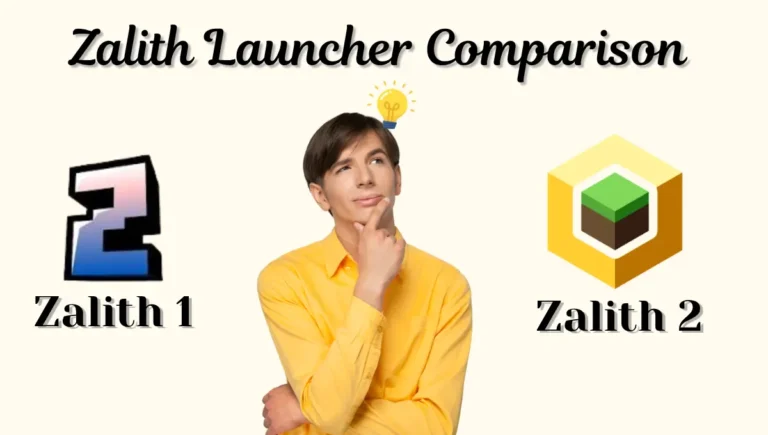
Picking a launcher for Minecraft Java Edition on Android usually comes down to two or three names that keep showing up in every Discord and forum thread, and Zalith Launcher and Mojo Launcher are both firmly on that short list in 2026. Both are free, both are open source, and both are built on the PojavLauncher foundation, but the way they’ve grown apart since then makes them genuinely different experiences to actually play on. This guide compares them feature by feature, covers real performance differences, and tells you exactly which one fits your setup.
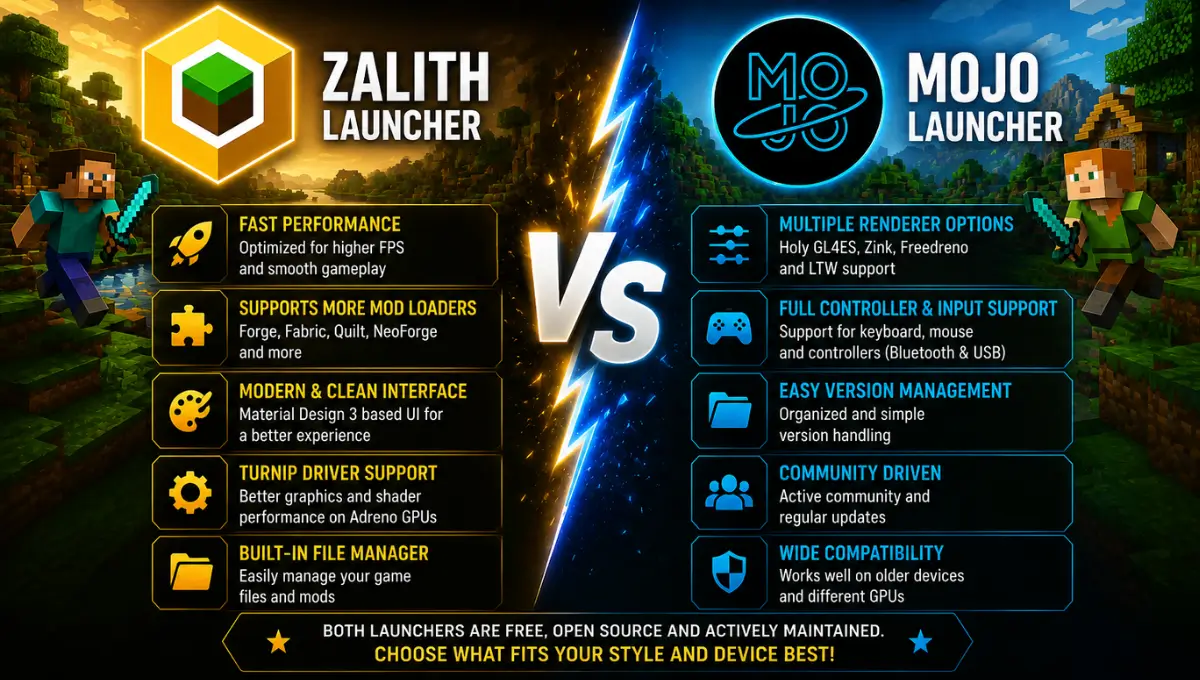
Quick Answer: Zalith Launcher leans into a modern rebuilt interface, wider renderer support, and Turnip driver compatibility for raw performance. Mojo Launcher, also branded MJLauncher, focuses on structured version management, broad rendering backend choice including Freedreno and LTW, and an official Google Play listing for easier installs. Both are actively maintained in 2026, so the better pick depends on what you value more, interface polish or configuration depth.
What Are Zalith Launcher and Mojo Launcher?
Zalith Launcher is an open source Android application built by MovTery and the Zalith Team as an enhanced fork of PojavLauncher. Its current generation, Zalith Launcher, was rebuilt from the ground up with Jetpack Compose and Material Design 3, giving it one of the more modern interfaces in this category along with support for Forge, Fabric, Quilt, and NeoForge.
Mojo Launcher, also known as MJLauncher, is likewise built on the PojavLauncher foundation but has developed its own identity around structured version management and rendering flexibility. It supports Forge and Fabric modding, offers multiple rendering backends including Holy GL4ES, Zink, Freedreno, and LTW, and is notable for having an official listing on the Google Play Store, something not every launcher in this space has managed to secure.
| Property | Zalith Launcher | Mojo Launcher (MJLauncher) |
|---|---|---|
| Developer | MovTery & Zalith Team | MojoLauncher Team |
| Based On | PojavLauncher fork | PojavLauncher fork |
| License | Free, Open Source | Free, Open Source |
| UI Framework | Jetpack Compose + Material Design 3 | Classic Android UI |
| Play Store Listing | Not listed, GitHub only | Available as MJLauncher |
| Status | Actively developed | Actively developed |
Interface and User Experience
This is where the two launchers feel most different in daily use. Zalith Launcher’s Jetpack Compose rebuild brings gesture-based touch controls, direct inventory interaction, and a genuinely modern visual layer that makes menus feel snappy rather than functional-but-dated. If you’ve used newer Android apps built with Material Design 3, the launcher will feel immediately familiar.
Mojo Launcher takes a more utilitarian approach. Its interface prioritizes structured organization, letting you manage multiple version profiles, renderer choices, and mod configurations from clearly laid out menus rather than leaning on visual polish. Players who want a control panel style experience over a flashier interface tend to prefer this. Neither approach is objectively better, it comes down to whether you value a slicker feel or a more configuration-dense layout.
Mod Loader Coverage
Zalith 2 supports Forge, Fabric, Quilt and NeoForge; Mojo covers Forge, Fabric and OptiFine jar installers.
Renderer Options
Zalith 2 offers MobileGlues, Zink and VirGL; Mojo adds Holy GL4ES, Freedreno and LTW to the mix.
Install Method
Mojo has an official Play Store listing; Zalith 2 currently distributes only through GitHub releases.
Controls
Zalith 2 offers gesture-based touch controls; Mojo supports Bluetooth/USB keyboard, mouse and controller input.
Also Read: Zalith Launcher vs Pojav Laucher
Zalith Launcher vs Mojo Launcher: Full Feature Comparison
Placed side by side, both launchers clear the basic bar of running Minecraft Java Edition reliably on Android, so the real differences show up in the details, renderer depth, mod ecosystem access, and how each one gets installed and updated.
| Feature | Zalith Launcher | Mojo Launcher (MJLauncher) |
|---|---|---|
| Interface | Modern, Jetpack Compose, Material Design 3 | Classic, function-first layout |
| Mod Loaders | Forge, Fabric, Quilt, NeoForge | Forge, Fabric, OptiFine (.jar installers) |
| Renderers | MobileGlues, Zink, VirGL | Holy GL4ES, Zink, Freedreno, LTW |
| Turnip Driver Support | Yes, via renderer settings | Yes, improved Adreno GPU compatibility |
| Modpack Import | In-app browser (CurseForge, Modrinth) | Local .mrpack and .zip import |
| External Input | Touch-focused with gesture controls | Full Bluetooth/USB keyboard, mouse, controller |
| Google Play Availability | Not listed | Listed as MJLauncher |
| Offline Play | Supported | Supported |
| Best For | Players who want a modern, polished feel | Players who want deep configuration and external input |
Performance and Compatibility
Both launchers can pull genuinely playable frame rates once paired with the right renderer and driver setup, but they get there through slightly different paths. Zalith Launcher’s renderer stack, especially when paired with a custom Turnip driver build, tends to produce smoother frame pacing during chunk loading and shader-heavy scenes on modern Adreno hardware, thanks to its rebuilt rendering pipeline.
Mojo Launcher counters with sheer renderer variety. Having Holy GL4ES, Zink, Freedreno, and LTW all available in one app means a wider range of chipsets, including some older or less common ones, are more likely to find at least one renderer that runs acceptably. It has also picked up improved Turnip driver compatibility for newer Adreno GPUs, narrowing the performance gap with Zalith on flagship devices. For players on unusual or older hardware, Mojo’s broader renderer menu can be the deciding factor.
Modding and Multiplayer
Both launchers take modding seriously, but they approach it from different angles. Zalith Launcher’s in-app mod browser connects directly to CurseForge and Modrinth, letting you search, download, and install mods without leaving the app or manually placing files. Mojo Launcher instead focuses on flexible import, supporting .jar only installers for Forge, Fabric, and OptiFine, along with local import of .mrpack and .zip modpack files, which appeals to players who already have a curated mod collection they want to bring over as-is.
Multiplayer support is solid on both. Each launcher connects to public Java Edition servers, supports LAN play with friends on the same network, and works with premium servers like Hypixel provided you sign in with a Microsoft account that owns a valid copy of Java Edition. Neither launcher supports Bedrock cross-play, since both are built specifically around the Java client.
Zalith Launcher — Pros & Cons
✅ Pros
❌ Cons
Mojo Launcher — Pros & Cons
✅ Pros
❌ Cons
Which One Should You Choose?
Download Zalith Launcher & Mojo Launcher
Both launchers update regularly, so downloading from their official sources ensures you always get the latest fixes and version compatibility rather than a stale mirrored copy.
FAQs
Quick answers comparing Zalith Launcher and Mojo Launcher.
Conclusion
Zalith Launcher and Mojo Launcher both prove that the PojavLauncher foundation still has plenty of room for different teams to take the idea in their own direction. Zalith leans into a modern, polished experience with the widest modern mod loader support, while Mojo Launcher doubles down on configuration depth, renderer variety, and genuine external input support backed by an official Play Store presence. Neither is a wrong choice, and since both install without conflicting, the most practical answer for a lot of players is to try each one on their own device and see which delivers the smoother experience where it counts.