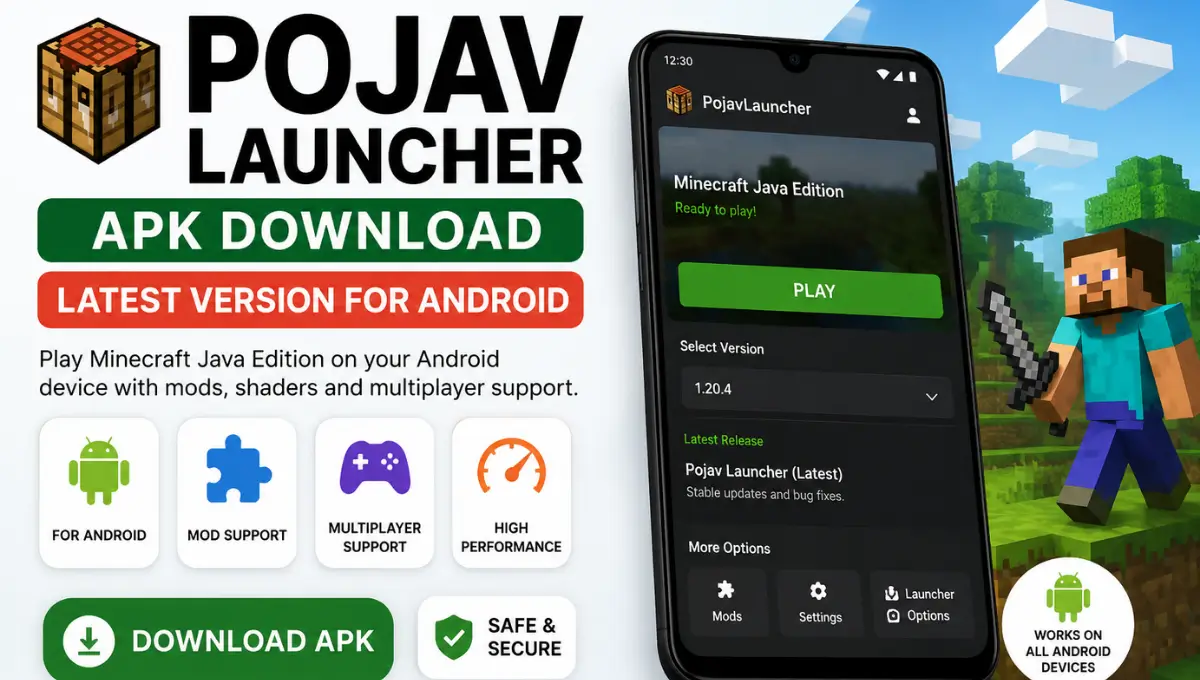
Pojav Launcher APK Download Latest Version for Android
Pojav Launcher was the launcher that first proved Minecraft: Java Edition could run on a phone the same way it runs on a PC, full mods, real multiplayer, actual Java files, not a stripped-down mobile port. The project is no longer being updated, and that single fact changes almost everything about how you should approach it in 2026. This guide covers what PojavLauncher actually is, its full release history, how to install it, and what the developers themselves now recommend using instead.
Status Update: PojavLauncher’s GitHub repository was officially archived on September 23, 2025. No further updates, releases, or bug fixes will be issued. The original developers have released an official successor, Amethyst Launcher, covered further down this page.
What Is Pojav Launcher?
PojavLauncher is a Minecraft: Java Edition launcher for Android and iOS, built on top of an earlier project called Boardwalk. Rather than recreating Minecraft or offering a watered-down mobile version, it takes the actual Java game files and runs them through a bundled Java Virtual Machine, then translates the desktop rendering calls into something Android’s graphics stack can display. The result is close to the real desktop experience, same worlds, same mods, same multiplayer servers, just controlled with touch, a controller, or gyroscope instead of a keyboard and mouse.
It supported almost every Minecraft version that has ever existed, from very early builds through 1.21 snapshots, including Combat Test versions most players never even see. Forge and Fabric both worked as mod loaders, LAN and online multiplayer both worked, and the entire project was open-source under the LGPL-3.0 license, meaning anyone could read exactly what the code was doing.
| Property | Details |
|---|---|
| Developer | PojavLauncherTeam |
| License | Open Source (LGPL-3.0), Free |
| Platforms | Android, iOS |
| Status | Discontinued / Archived (Sep 23, 2025) |
| GitHub Stars | 8,800+ |
| Official Successor | Amethyst Launcher |
Core Features
Pojav Launcher makes it possible to play Minecraft Java Edition on Android with a smooth and flexible experience. Pojav Launcher supports multiple Minecraft versions including older and newer releases so players can switch without hassle. It also works with popular mod loaders resource packs and shaders to expand gameplay options. Users can customize graphics controls and memory settings for better performance on different devices. Pojav Launcher includes simple file management and secure account support for easy access to game files. With frequent updates and strong compatibility Pojav Launcher remains a trusted choice while Pojav Launcher continues to improve the overall Minecraft experience.
Full Java Edition Compatibility
Real Minecraft.jar files running through a genuine JVM, not an emulated or reskinned version of the game.
Forge and Fabric Support
Mods built for desktop generally worked here too, memory limits on your specific device allowing.
Multiple Renderer Options
Zink, VirGL and other backends let you find whichever one your phone’s GPU driver actually handled well.
Version Management
Install and switch between multiple Minecraft versions side by side without conflicts.
Multiplayer and LAN
Connect to public servers or a friend’s LAN world exactly like on a desktop client.
Open-Source Codebase
Fully auditable code under LGPL-3.0, no hidden trackers or bundled ads.
Custom Control Layouts
Touch controls could be repositioned and resized to fit PvP, building, or survival play styles.
No Ads, No Trackers
A clean, free launcher with nothing bundled in beyond what’s needed to run the game.
Also Read: Zalith Launcher Download & Installation Guide for Android (Every Architecture Explained)
Download Pojav Launcher
Since the project is archived, this links directly to the final official release on GitHub. Avoid third-party APK sites, since abandoned open-source projects are a common target for repackaged, ad-injected, or malware-bundled files.
Final release · Archived project · No further updates
How to Install Pojav Launcher
Download the APK
Open the official GitHub releases page above and grab the APK matching your device’s architecture, ARM64-v8a covers most phones from the last several years.
Enable Unknown Sources
Go to Settings, then Security, and enable Install from Unknown Sources for whichever browser or file manager you’ll use to open the APK.
Install the App
Open the downloaded file and tap Install. This takes a few seconds depending on your device.
Sign In
Launch PojavLauncher and sign in with a Microsoft account tied to a purchased Java Edition license, or use offline mode for singleplayer and LAN.
Pick a Version
Select a Minecraft version from the version manager and let it download the required game files.
Play
Once the download finishes, hit play and you’re in.
Pojav Launcher Version History
A quick timeline of how the project developed, from its origins through the archive date and into its successor.
| Period | Milestone | Details |
|---|---|---|
| Early development | Built on Boardwalk | Pojav Launcher Team builds a full launcher on top of the earlier Boardwalk proof-of-concept |
| Ongoing | Version support expands | Compatibility grows to cover rd-132211 through 1.21 snapshots, including Combat Test builds |
| Ongoing | Modding support added | Forge and Fabric mod loading integrated directly into the launcher |
| Ongoing | Renderer options expand | Zink, VirGL and additional renderer plugins added to cover more GPU chipsets |
| September 23, 2025 | Repository archived | PojavLauncherTeam archives the GitHub repository; no further commits or releases |
| 2025, following the archive | Amethyst Launcher announced | Same core developers launch AngelAuraMC and release Amethyst as the official successor |
| 2026, ongoing | Amethyst active development | Continued updates, new Minecraft version support, and interface refinements |
Is PojavLauncher Still Safe to Use?
Yes. Pojav Launcher is widely considered safe when you download the latest version from a trusted source. The launcher is regularly updated to improve security stability and compatibility with new Minecraft Java Edition releases. It is built to deliver a smooth experience without adding unnecessary permissions or unwanted background processes. For the best results always install the latest available version and avoid outdated or modified builds. Using a genuine release helps ensure better performance improved compatibility and a more reliable gaming experience while enjoying Minecraft Java Edition on your Android device.
What Replaced It: Amethyst Launcher
When Pojav LauncherTeam archived the repository, they pointed everyone toward Amethyst Launcher, built by the same core developers under a new organization, AngelAuraMC. It isn’t an outside fork trying to keep an old project alive, it’s the same people continuing the same work under a new name, with active updates for new Minecraft versions and ongoing bug fixes.
| Category | Pojav Launcher | Amethyst Launcher |
|---|---|---|
| Status | Archived, frozen | Actively developed |
| Built by | Pojav LauncherTeam | Same developers, AngelAuraMC |
| New Minecraft versions | Not supported | Supported |
| Ongoing bug fixes | None | Yes |
| Platforms | Android, iOS | Android, iOS |
Another Option: Zalith Launcher
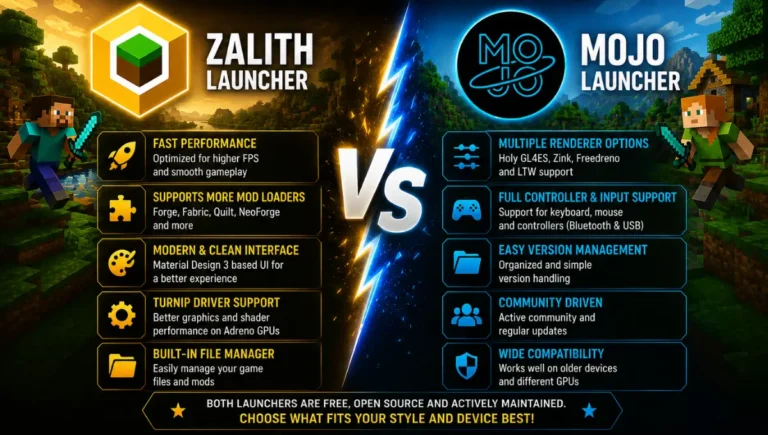
Amethyst isn’t the only actively maintained launcher on Android right now. Zalith Launcher is a separate, independently built project, not a fork or successor of Pojav Launcher, that takes its own approach to running Minecraft: Java Edition on mobile. Where Pojav Launcher is frozen and Amethyst continues its direct lineage, Zalith Launcher has grown into its own ecosystem, currently on its second major version, Zalith Launcher, with a Jetpack Compose interface, support for Forge, Fabric, Quilt and NeoForge, and multiple renderer options including MobileGlues, Zink and VirGL.
It’s worth considering if you want a more actively developed, modern-feeling alternative outside the Pojav Launcher family entirely. We cover it in full detail, including setup, features, and version comparisons, on our dedicated Zalith Launcher page.
| Pojav Launcher | Amethyst Launcher | Zalith Launcher | |
|---|---|---|---|
| Status | Archived, frozen | Actively maintained | Actively maintained |
| Relationship to Pojav Launcher | Original project | Direct successor, same team | Independent project |
| UI Framework | Classic Android UI | Refined, modernized | Jetpack Compose + Material Design 3 |
| Mod Loader Support | Forge, Fabric | Forge, Fabric | Forge, Fabric, Quilt, NeoForge |
| Renderer Options | Zink, VirGL, others | Improved renderer set | MobileGlues, Zink, VirGL |
| New Minecraft versions | Not supported | Supported | Supported |
FAQs
Quick answers about Pojav Launcher in 2026.
Conclusion
PojavLauncher proved that mobile Java Edition could work, and for years it was the only reliable way to get there. The archive doesn’t erase any of that, it just means the version you’re running today is the final one. If you’re already using it for versions and mods that already worked before the archive, there’s no urgent reason to switch. If you’re setting up mobile Minecraft for the first time in 2026, go straight to Amethyst Launcher instead, it’s built by the same team, works the same way, and keeps getting updated as new Minecraft versions release.